License Server Down
A portlet that displays a tabular information about stopped license servers for a certain period of time. This portlet sends an email alert every 5 minutes and 10 seconds.

The table contains Server Name and Last Seen.
Use the page navigator and number of rows option located at the bottom-right corner of the portlet to manipulate data displayed.
How to configure
When configuring a table-type portlet, the configuration is separated into two parts - Filters and Alerts settings. Filters consists of configuration for refining the selected classifications and setting the threshold to display in the portlet. While Alerts consists of scheduling of sending email alerts and specifying the desired formatting of the messages.
Filters
To configure the Filters, follow these instructions:
-
In the upper-right corner of the portlet, click the gear icon.
The configuration dialog should appear.
-
Provide the Label or the text displayed in the title bar of the portlet. The initial value is License Server Down: Minutes >= 10.
-
Select among the available Vendor License, Package, and Feature.
-
Provide the Threshold or the value to limit the rendered data. The value should be in minutes.
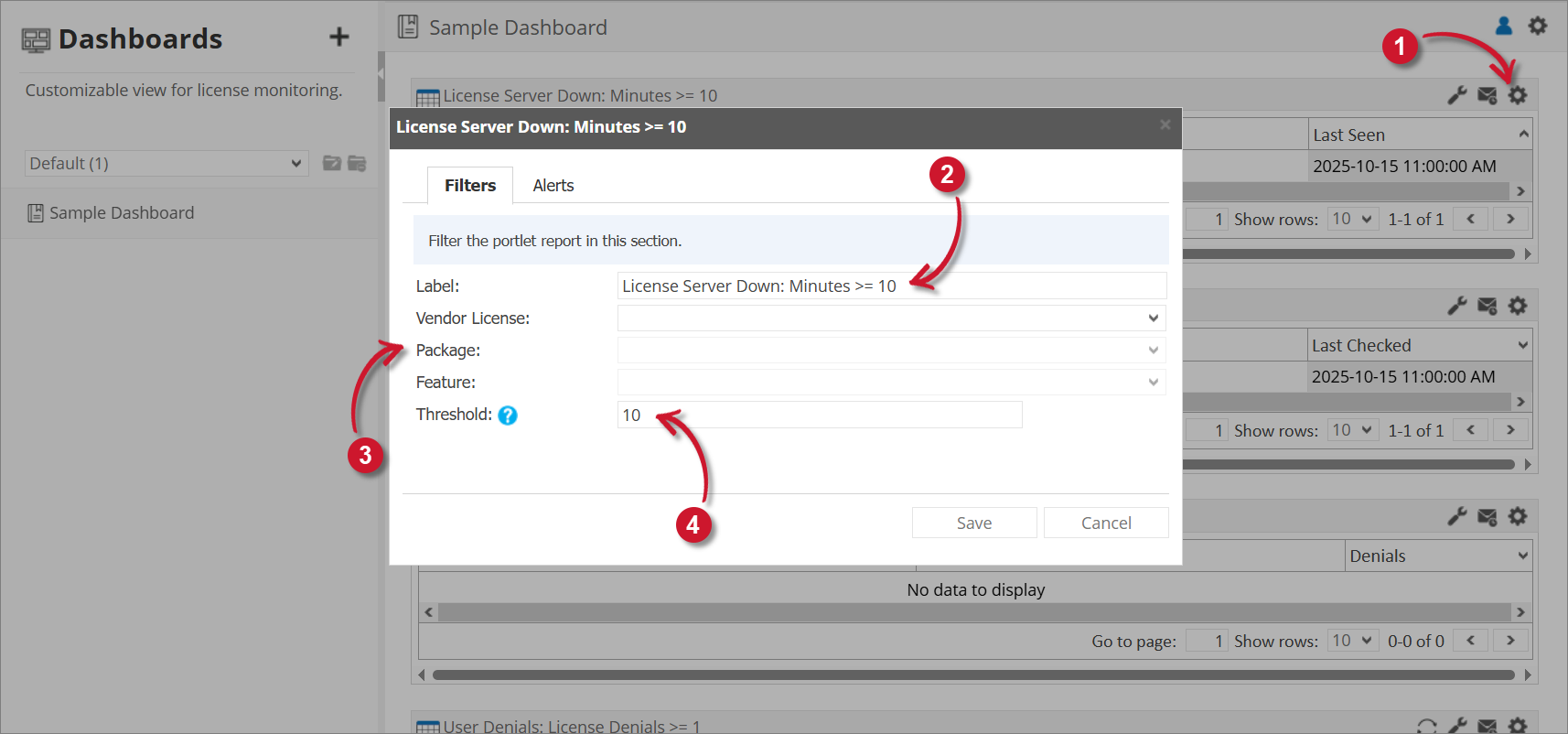 License Server Down Filter Settings
tipYou may save the changes and use the default configuration for the Alerts or proceed with the Alerts configuration.
Alerts
Please make sure to accomplish the necessary configurations for Alerts Scheduling in Alert Settings Configuration section.
To configure the Alerts, follow these instructions:
-
Go to the Alerts tab and choose from the available schedule options. Immediate is selected by default.
Use the statement provided describing the schedule as a guide.
-
If Hourly, the option Only send during this time is checked by default. Set the start and end times to set limitations (e.g., office hours) for sending email alerts.
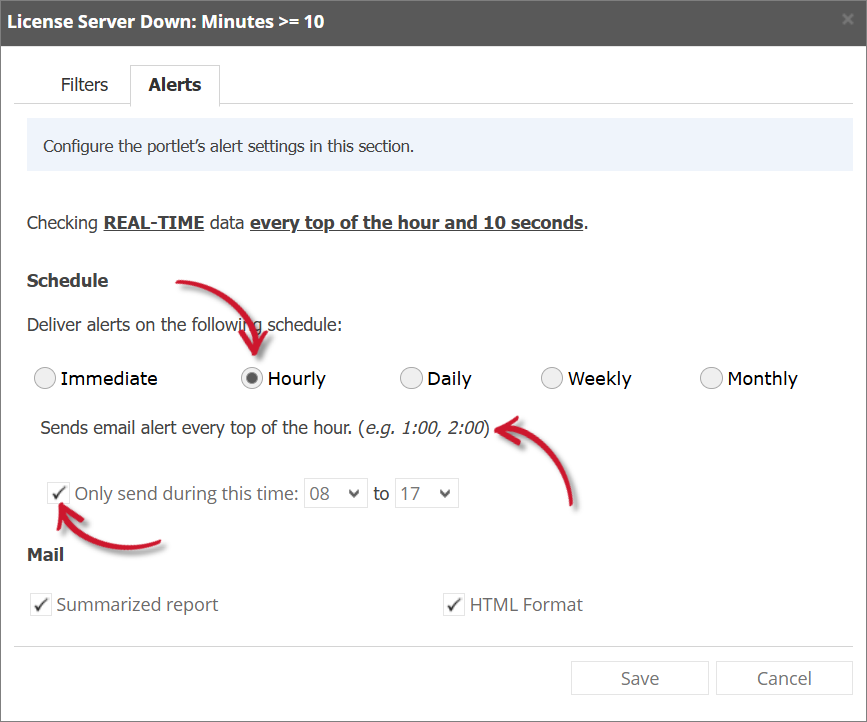 License Server Down Alert Settings Hourly
If Daily, provide the time of the day the email will be sen
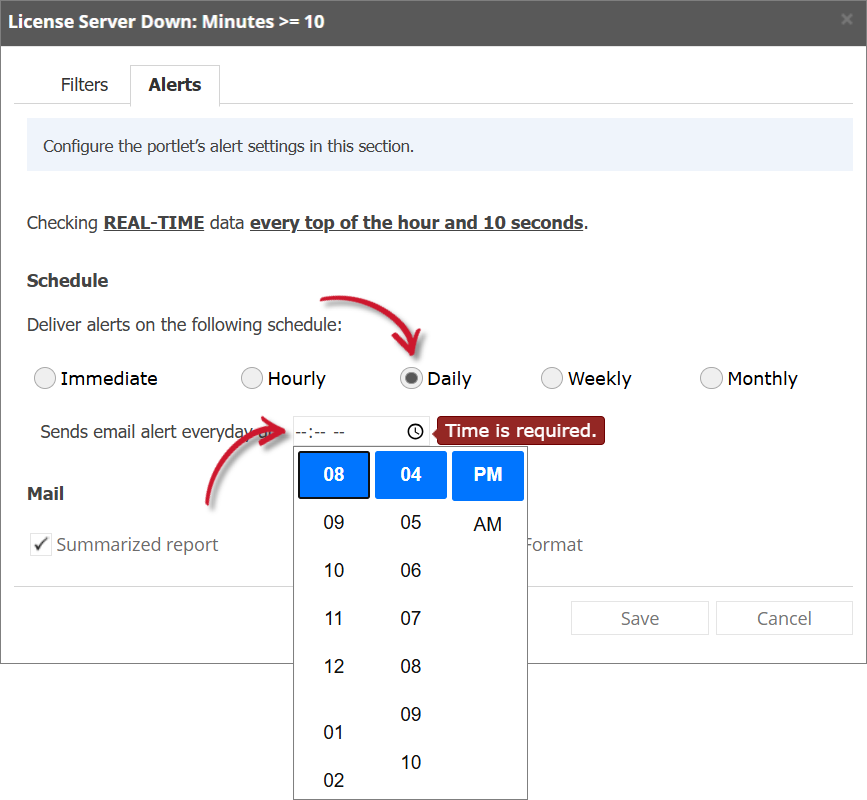 License Server Down Alert Settings Daily
If Weekly, provide the specific day of the week and the time of the day the email will be sent.
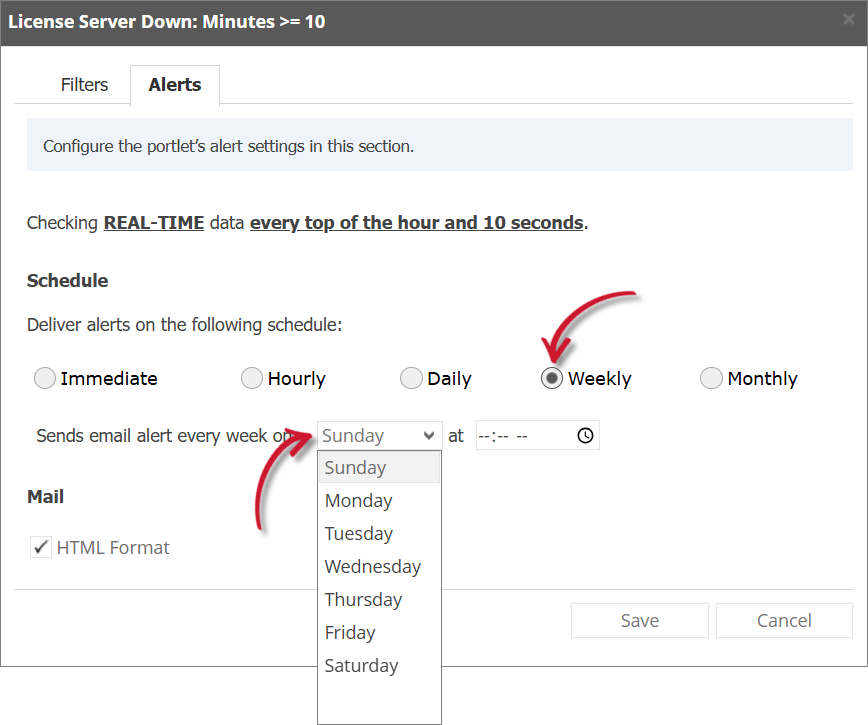 License Server Down Alert Settings Weekly
If Monthly, provide the specific day of the month and the time of the day the email will be sent.
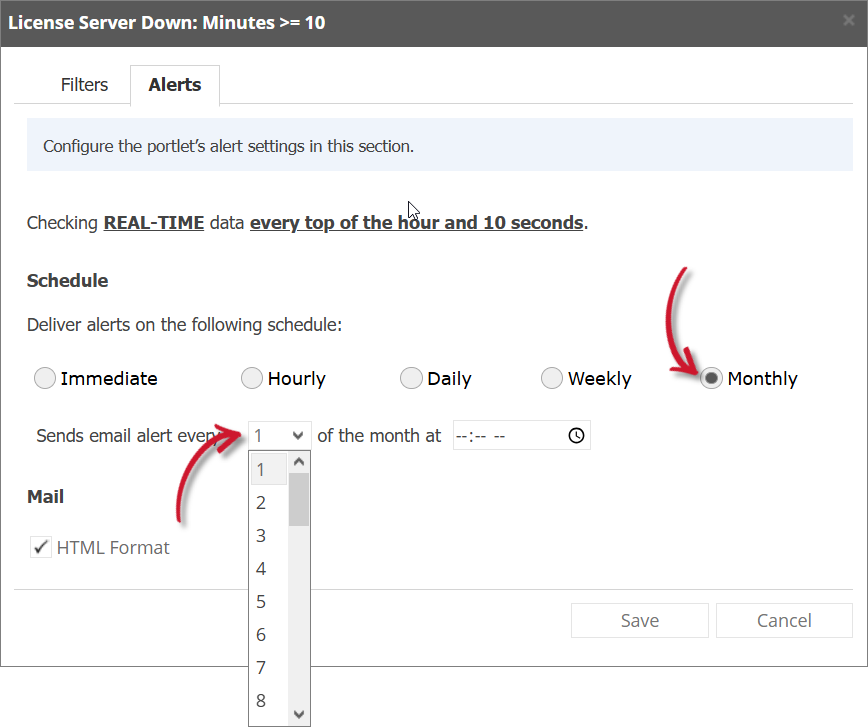 License Server Down Alert Settings Monthly
 -
Check the following options to enable the functionality:
-
Summarized Report - the report included in the email message is in summarized form; otherwise, will be in detailed form. Only available in Hourly and Daily schedules.
infoA warning will be displayed when Summarized Report is unchecked. Please read carefully.
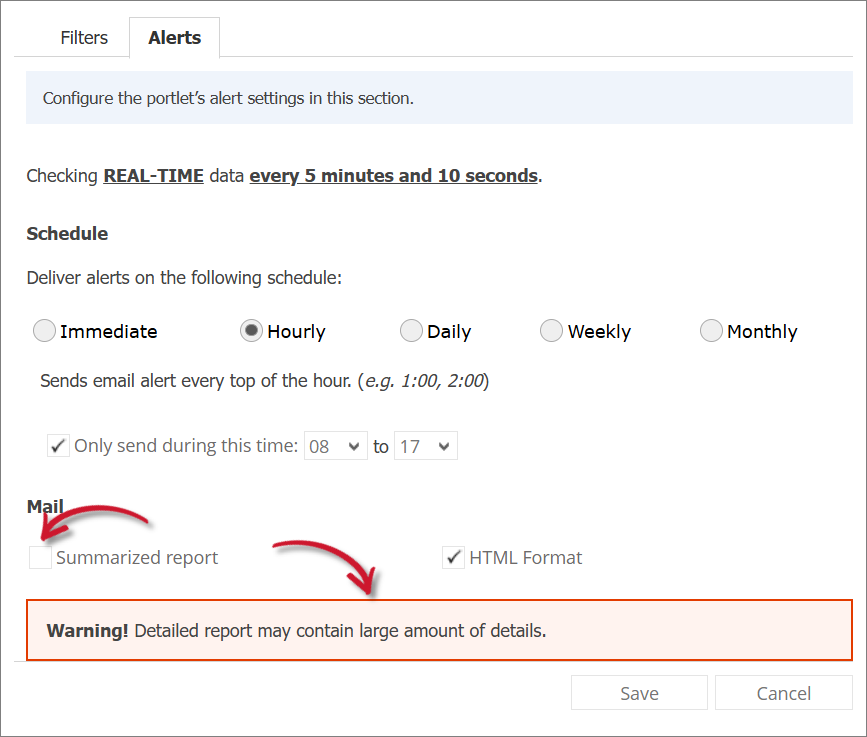 License Server Down Alert Settings Warning
 -
HTML Format - the email alert template is formatted as HTML.
-
Flood Email - all subscribed users will receive email alerts even if there is no new data. Only available in Immediate schedule.
-
-
Click Save to continue.
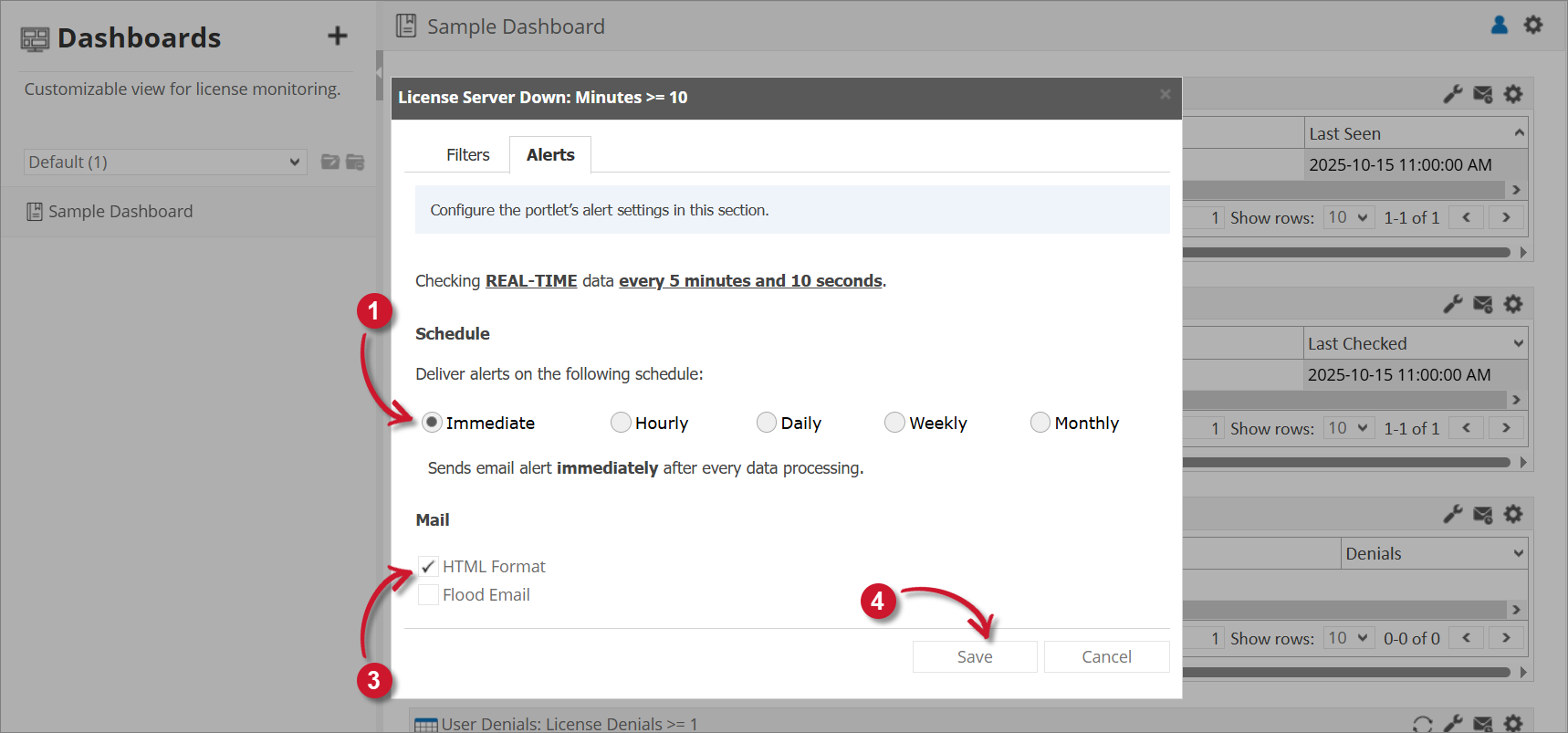 License Server Down Alert Settings