License Efficiency
A portlet that contains a chart showing license usage efficiency through license usage duration with the number of used licenses in a specified time range.
How to configure
The chart appears blank by default. To display data, you must first configure the chart details. Follow these instructions to configure:
-
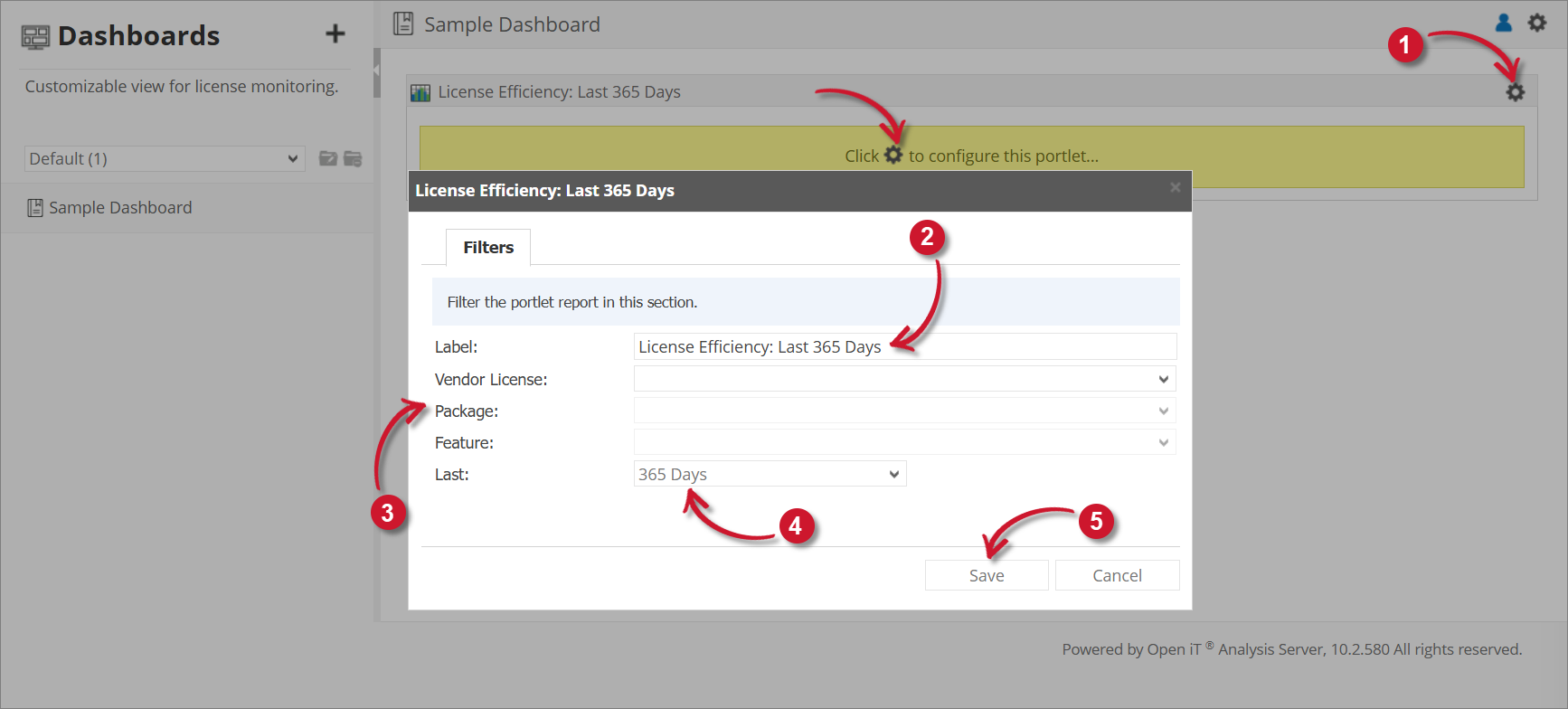
Click the gear icon located at the upper-right corner of the portlet or in the portlet.
The configuration dialog should appear.
-
Provide the Label or the text displayed in the title bar of the portlet. The initial value is License Efficiency: Last 365 Days.
-
Select among the available Vendor License, Package, and Feature.
-
Select among the available time ranges. The default is 365 days.
-
Click Save to continue or Cancel to disregard.
The chart should be displayed based on the selected configuration.
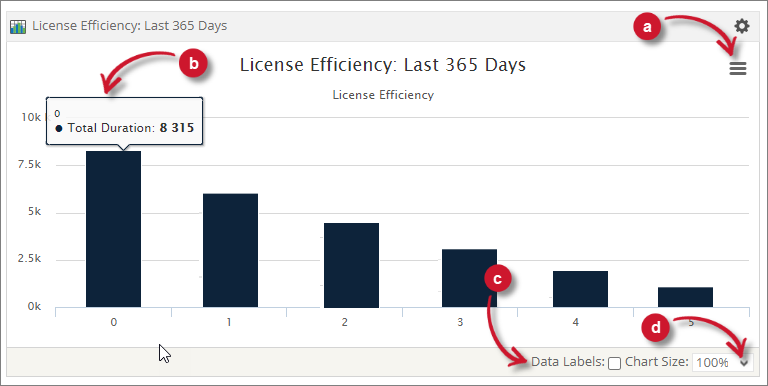
The chart contains Total Duration.
 License Efficiency Configuration
Chart Functionalities
The portlet contains some functionalities to manipulate the display. Use these descriptions to use these functionalities.
a. Export - choose among the available formats to export the chart.
b. Data Information - hover each point in the chart to show the data information.
c. Data Labels - tick the option to show data labels in the chart.
d. Chart Size - choose among the available sizes to resize the chart.