Setting Max Parallel Processes for Data Sync and OLAP Processing
Use this key to set the maximum number of parallel processes for data loading when running the SyncDataType command and for tasks when running the ProcessOLAP command.
NOTE
The default number of threads, which is the number of cores that the SQL Server will utilize, is set to zero (0).
Follow these instructions:
-
Go to the Configuration page of Analysis Server web interface.
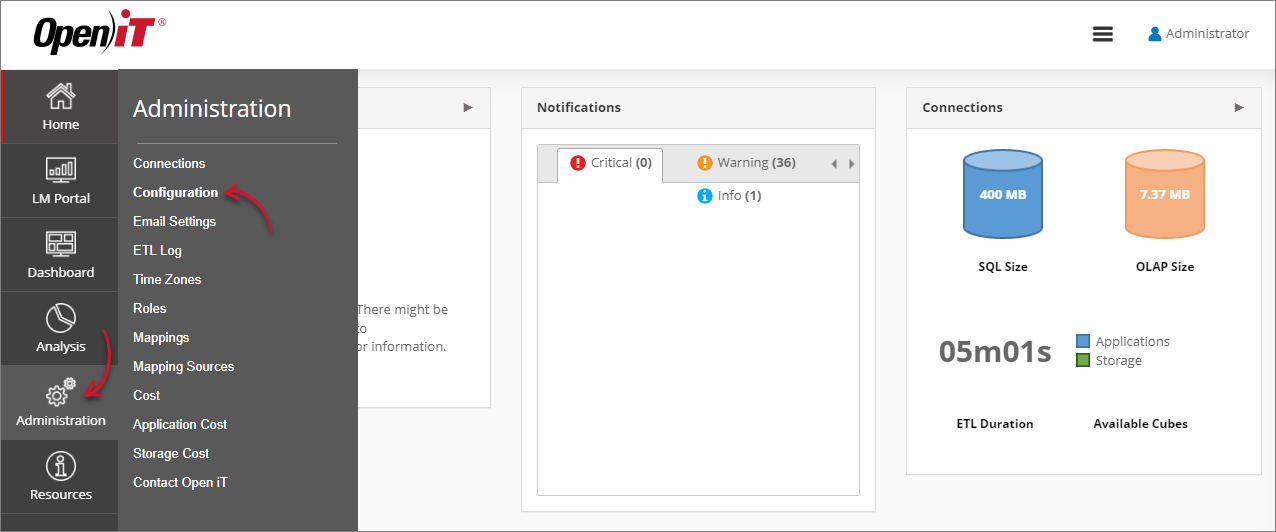 Navigating to the Configuration Page
 -
Locate the Root.Etl.NumberOfThreads key, click it, then set it to your desired value.
-
Click Save.
 Setting Root.Etl.NumberOfThreads
 -
Click the Reset Session button at the bottom of the configuration table.