Setting Display for Anonymized Report Elements
Use this key to set what to display for the anonymized report element. Follow these instructions:
-
Go to the Configuration page of Analysis Server web interface.
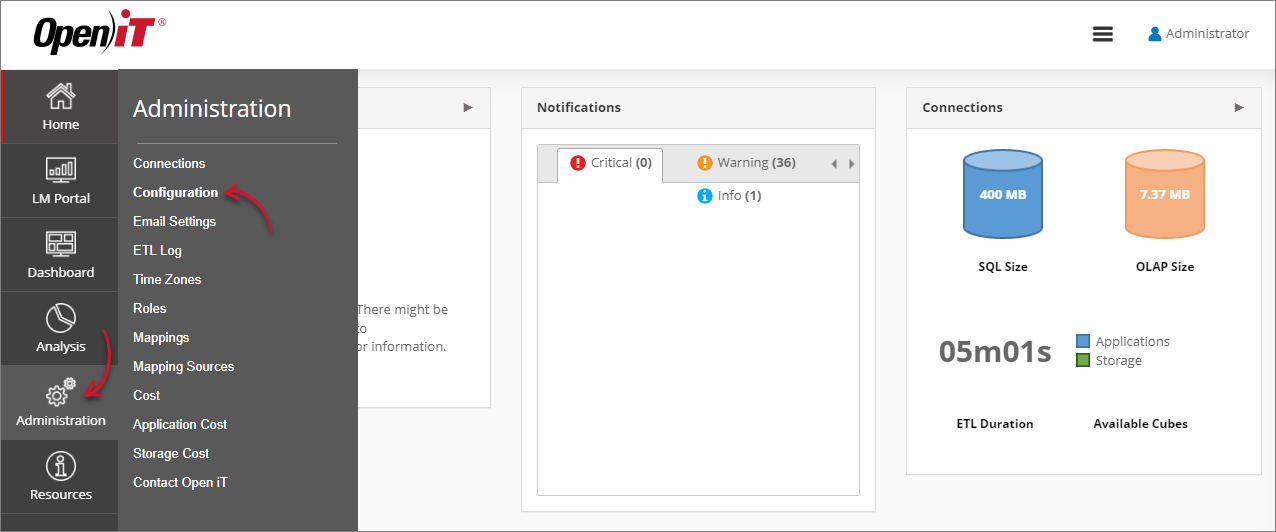 Navigating to the Configuration Page
 -
Locate the Root.Etl.UserAnonymization.SourceValue key, click it, then set the value to what you want to display instead of the anonymized. This accepts asterisks
(*)as wildcards and can have multiple values by providing pipe-delimited entries.Example:
Examplehost*|win*This will get all the data starting with win and host (e.g., win-virtual04, win-host02, host03).
-
Click Save.
 Setting Root.Etl.UserAnonymization.SourceValue
 -
Click the Reset Session button at the bottom of the configuration table.