Autodesk Usage by User
The Autodesk Usage by User report provides a detailed view of Autodesk seat and FLEX token usage for a specific user during the selected reporting period.
The summary table lists the Autodesk packages and features used by the user, together with the number of days each feature was used and assigned.
The Daily Elapsed Time chart shows how long the user used each Autodesk feature on individual days, helping identify usage frequency and intensity.
The Monthly Token Usage chart shows the number of FLEX tokens consumed by each feature per month, making it easier to compare token consumption over time.
The detailed table displays the user’s team, package, feature, usage date or count, elapsed time, and tokens consumed.
Make sure that the following Open iT Datatypes are present in the Core Server database and successfully loaded in Analysis Server SQL database.
Follow these instructions to generate a report:
-
On the Open iT Reporting Services web portal Home page, click on the LicenseAnalyzer Level 1 folder.
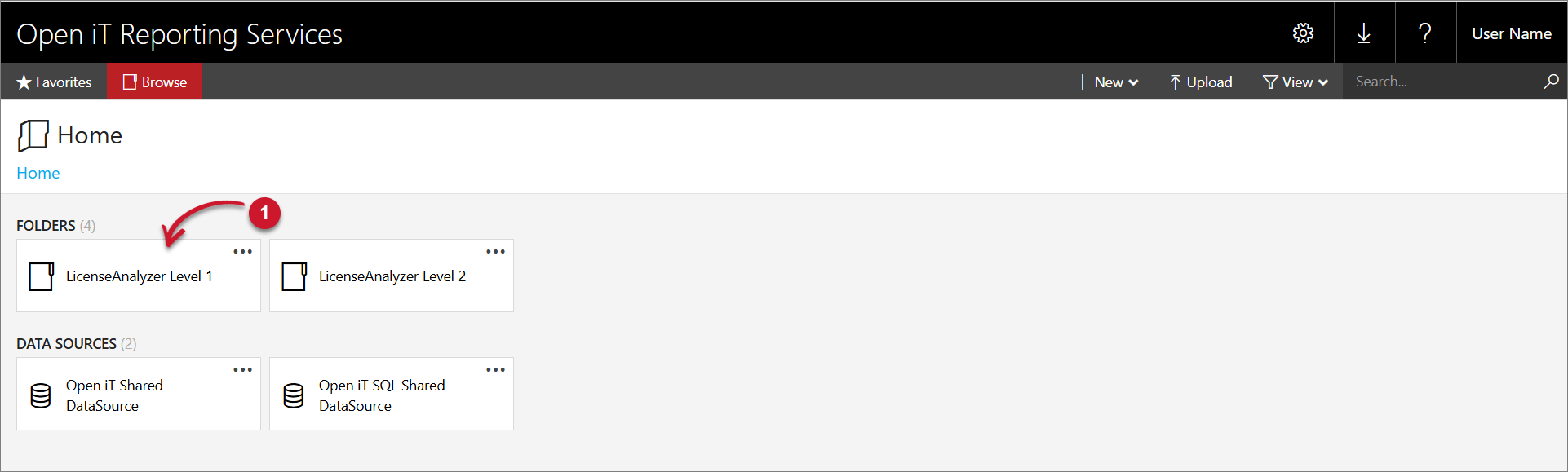 LicenseAnalyzer Level 1 Folder
 -
Click the Autodesk folder, then select Autodesk Usage by User report template.
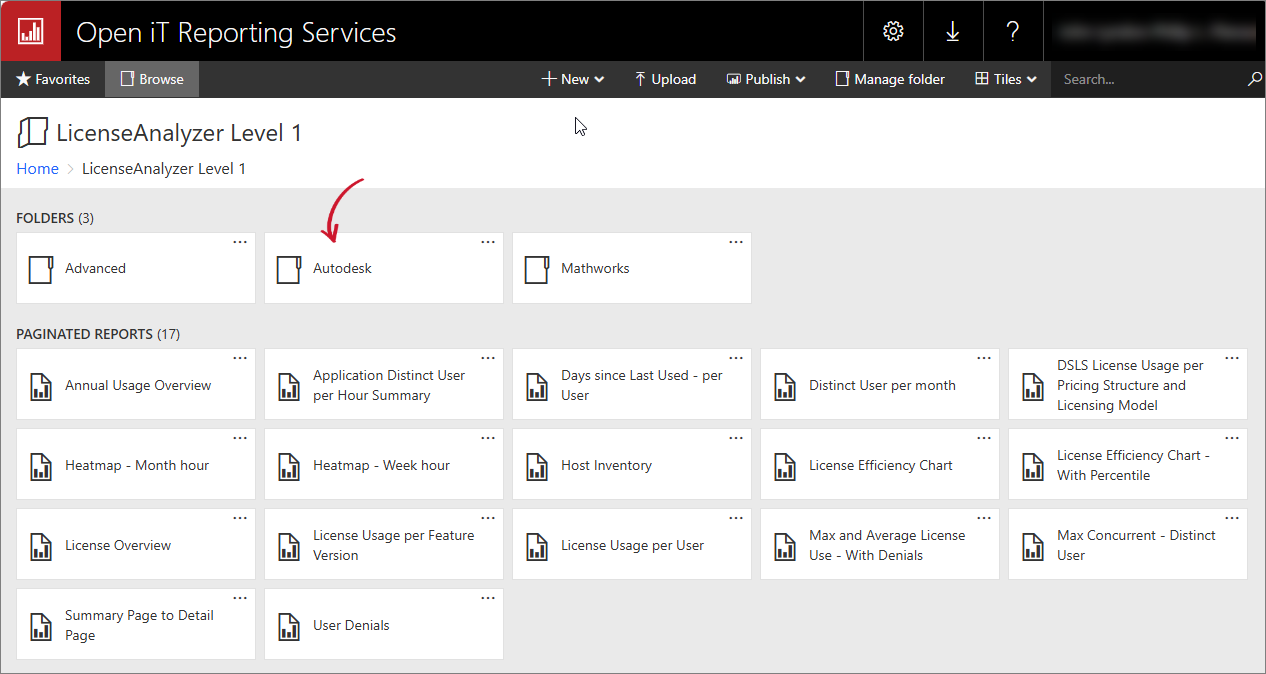 Autodesk Folder
-
Select the Vendor License, Team, Package, Year, Month, Days Since Last Used, and Include Only Assigned you want to include in the report.
Parameter Description Vendor License Use this to specify the name of the vendor license hosting the Autodesk application. Team Use this to specify the name of the team to which the users belong. Package Use this to specify the Autodesk subscription package or product collection to include, such as Architecture, Engineering & Construction Collection. User email Use this to specify the valid email address or username of the user who used the Autodesk package. Year Use this to specify the time-range for the report yearly such as 2020, 2021, 2022, etc. Month Use this to specify the month of the report you want to view. Parameters and Descriptions
-
Click the View Report button in the top-right corner of the report viewer. Wait for the report to generate. This may take a few minutes, depending on the size of the data.
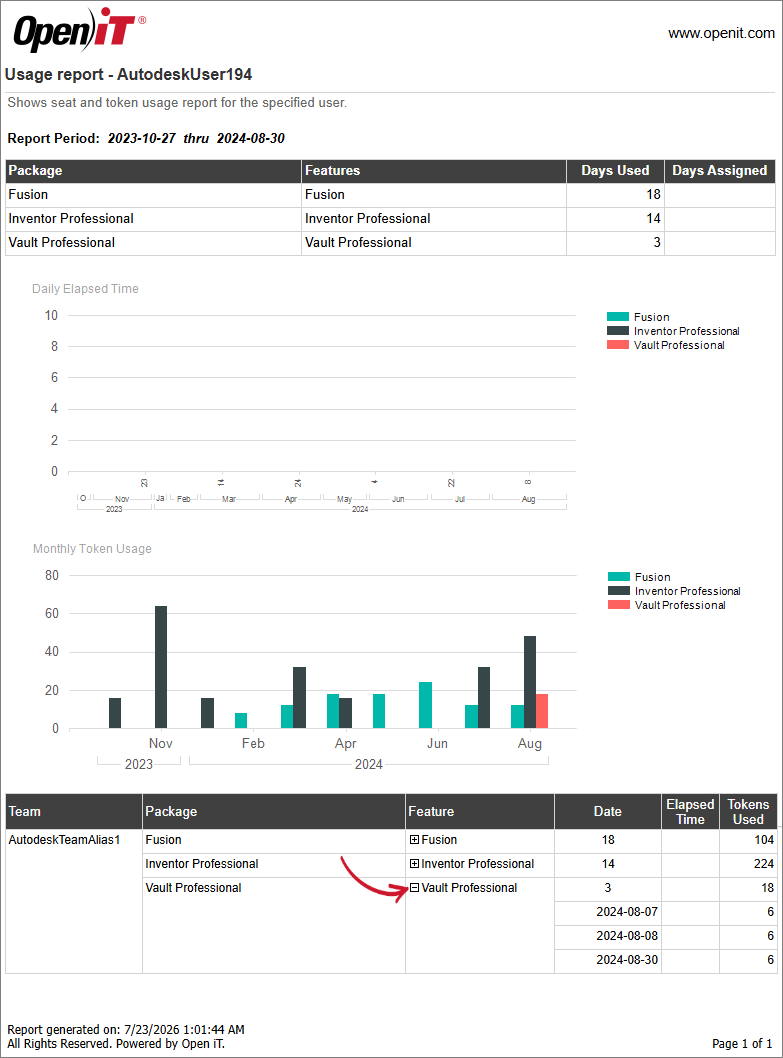 Autodesk Usage by User
tipClick the (+) expand button in the Feature column to see the specific dates the user used the package.
See the Report Viewer Control Toolbar section for more details about its functionalities.