Host Inventory
This report lists all hosts or machine names consolidated in the Open iT data and indicates whether the Open iT Client is installed. It serves as a quick reference for inventory management, helping determine the total number of hosts and identify which machines are active or inactive in terms of Open iT Client usage.
- Processing of client information is enabled by default. Please see the section Configuring Client Information Processing, if configuration is necessary.
- To enable the parsing of First Seen and Last Seen values, please see the section Configuring Apache Log Parsing.
Follow these instructions to generate a report:
- On the Open iT Reporting Services web portal home page, click on the LicenseAnalyzer Level 1 folder.
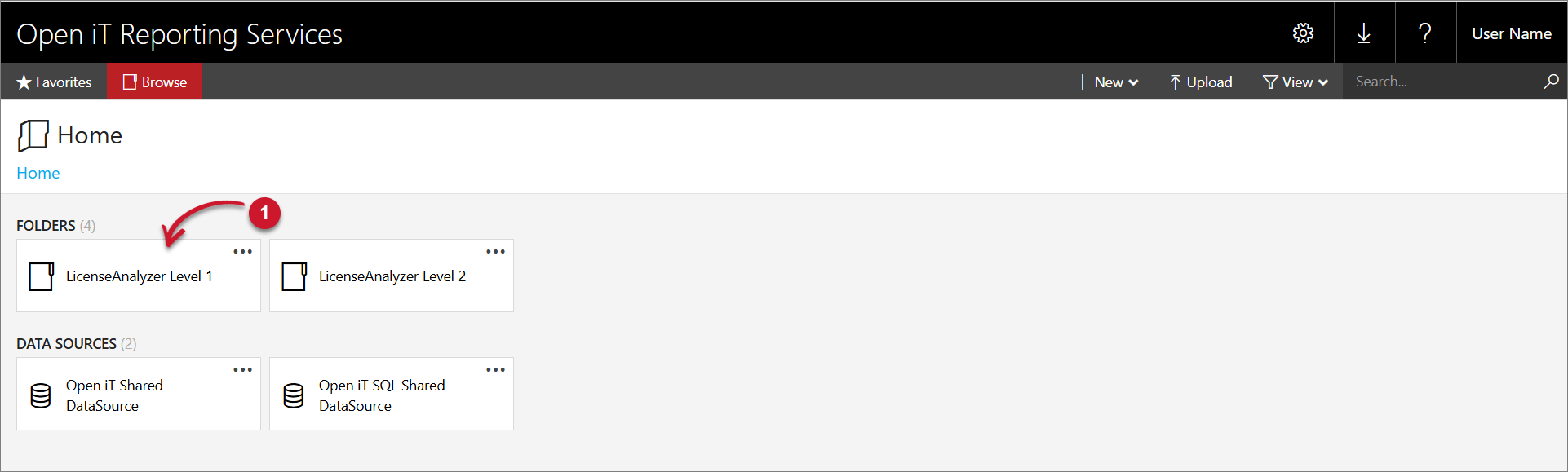
This will redirect you to the list of LicenseAnalyzer Level 1 report templates.
-
Click the Host Inventory report template.
-
The report will automatically load with the following default selected parameter values:
- Value Type - With Client
- Sort By - Hostname
 Host Inventory with Open iT Client
The report presents a table listing all hostnames with the Open iT Client installed, along with the total count. It also includes the following details:
Column Name Description Hostname The name of the host machine. Version The version of the Open iT Client installed on the host machine. OS The operating system installed on the host machine. Architechture The architecture of the host machine. First Seen The date and time when the first instance of the Open iT Client installed on a host machine connects to the Open iT Core Server. Last Seen The date and time when the most recent instance of the Open iT Client installed on a host machine connects to the Open iT Core Server. Host Inventory Report Columns
-
Navigate through the list using the Page Navigation located at the upper-left corner of the report.
tipPlease refer to the Report Viewer Control Toolbar section for more details about its functionalities.
-
You may regenerate the report to change the displayed data by selecting among the following available parameter values:
Parameter Name Description Value Type Use this to specify the type of hosts listed in the report. Available values are: - All Hosts - list of all hosts with or without Open iT Client
- With Client - hosts with Open iT Client installed
- Without Client - hosts without Open iT Client installed
Sort By Use this to specify the column used as the basis for sorting. Available values include all column names in the report. Parameters and Description
Click View Report in the upper right corner of the page. The report should be displayed based on your selected parameter values.
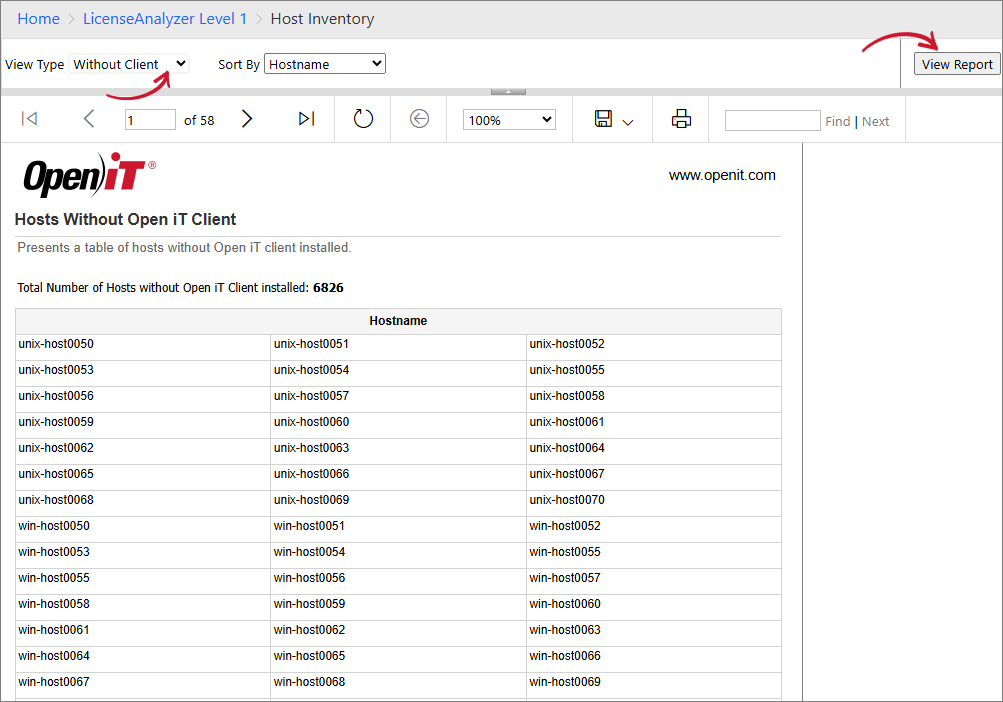 Host Inventory without Open iT Client
The report presents a table listing all hostnames without the Open iT Client installed, along with the total count. The table is organized into three columns, arranged from left to right.