Periodic Jobs
The Periodic Jobs tab contains a list of report definitions that generate new reports periodically at the given time interval. Find generated reports in the Generated Reports tab.
Parts of the Periodic Jobs Tab
The Periodic Jobs tab presents a list of defined periodic jobs with the following information:
- Status - shows whether the report is active (green) or inactive (red)
- Frequency - shows how often the periodic job is executed; D - Daily, W - Weekly, M - Monthly, Q - Quarterly, Y - Yearly
- Type - indicates the type of report; tabular or graphical
- Title - title of the periodic job or report
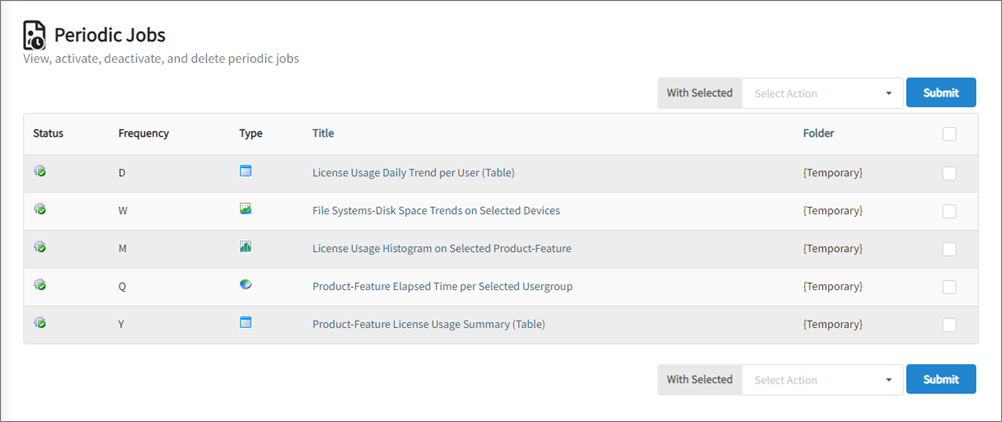
Periodic Jobs Tab
Deleting a Periodic Job
- Tick the checkbox corresponding to the job(s) to delete.
- On the top or bottom part of the table view, click Select Action drop-down then choose Delete.
- Click Submit.
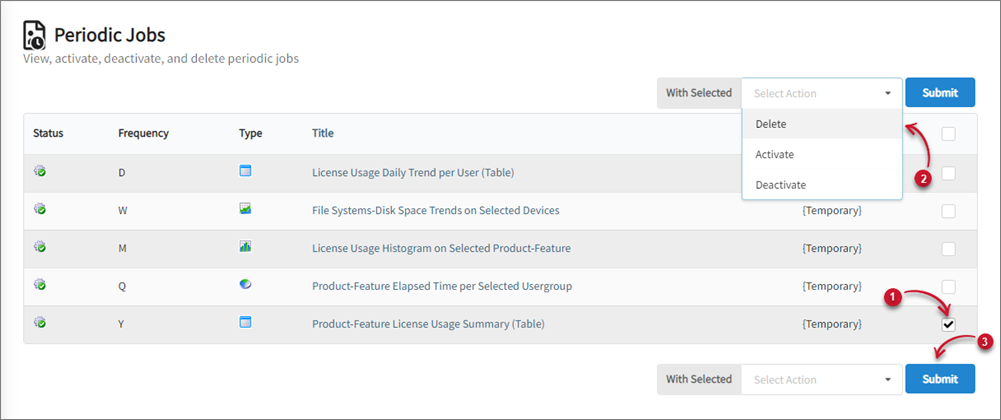
Deleting Periodic Jobs
Activating a Periodic Job
- Tick the checkbox corresponding to the job(s) to activate.
- On the top or bottom part of the table view, click Select Action drop-down then choose Activate.
- Click Submit.
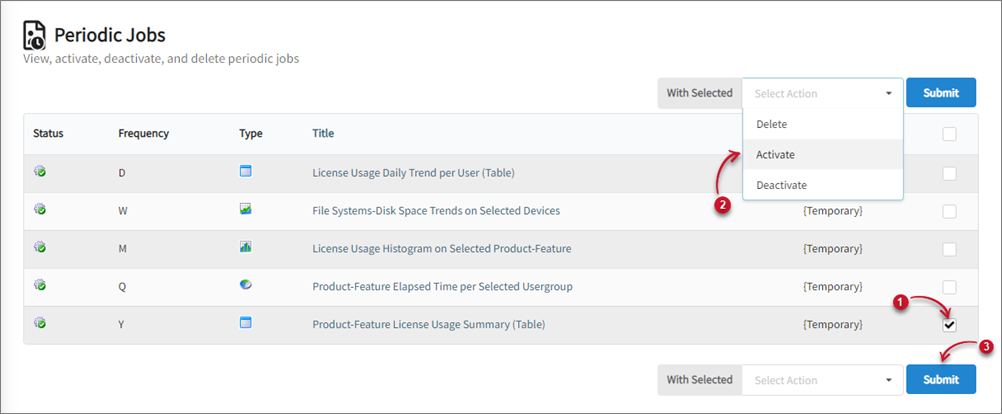
Activating Periodic Jobs
Deactivating a Periodic Job
- Tick the checkbox corresponding to the job(s) to deactivate.
- On the top or bottom part of the table view, click Select Action drop-down then choose Deactivate.
- Click Submit.
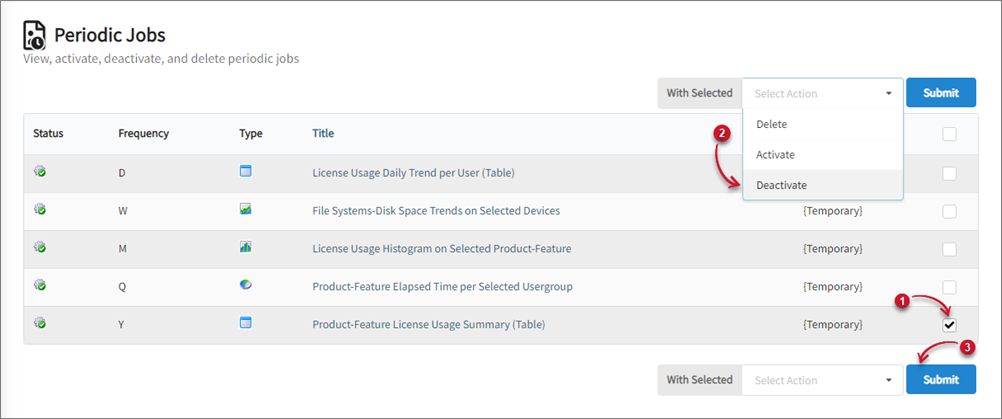
Deactivating Periodic Jobs