Uninstallation
This guide provides instructions for uninstalling the Open iT Insight. Choose one of the available uninstallation methods below:
Uninstalling through the Windows Installer Interface
-
Run the
openit_insight_<version>_<architecture>.msiinstaller file used to install the software. -
A setup wizard will be displayed. Click Next.
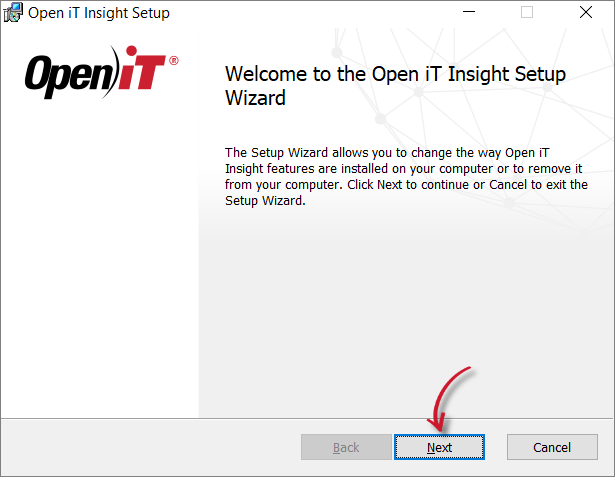 Welcome Screen
-
Click Remove to remove the Open iT Insight from the computer.
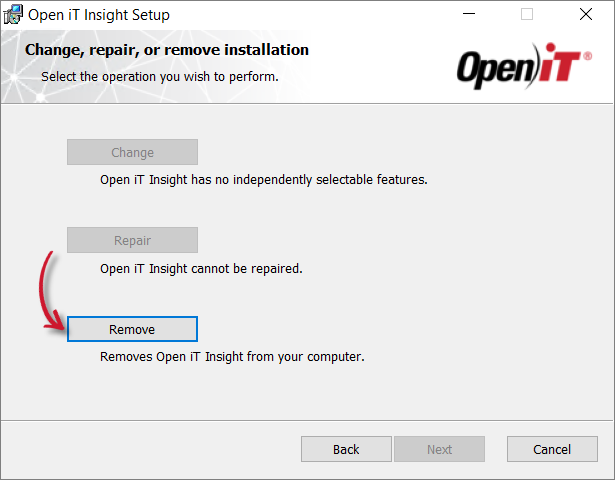 Operation Selection
-
Click Remove to uninstall the software.
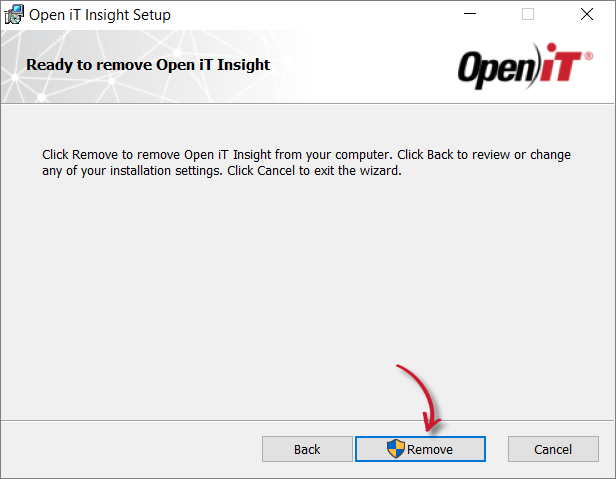 Ready to Remove
-
Wait for the uninstallation process.
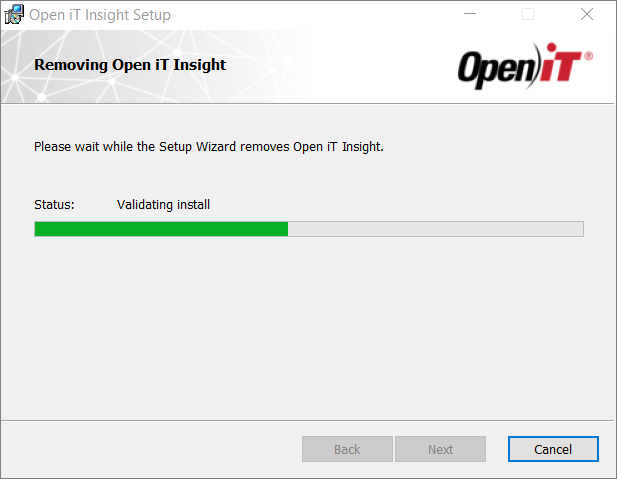 Uninstallation In-progress
-
Click Finish to complete the uninstallation process.
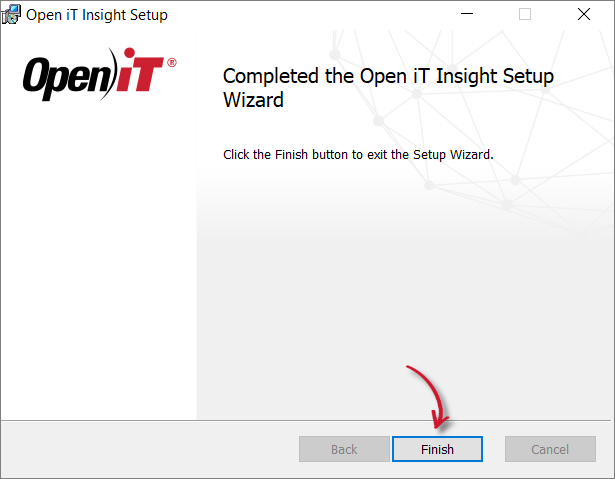 Uninstallation Complete
Uninstalling through the Control Panel
-
Go to the Control Panel.
-
Under Programs, click Uninstall a program.
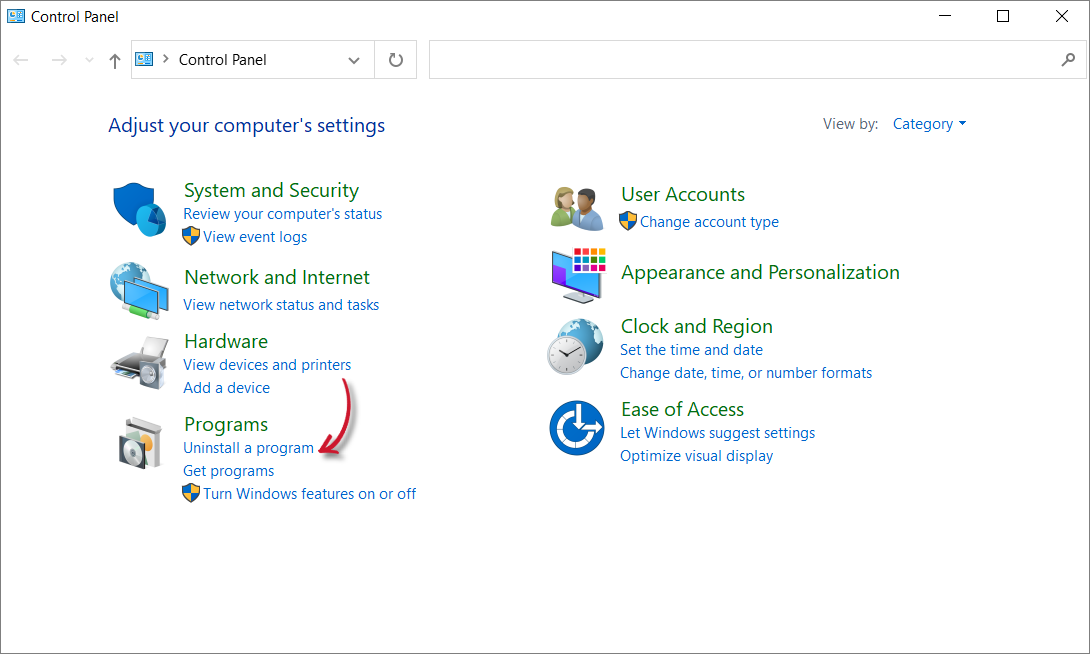 Control Panel
-
In the list of programs, select Open iT Insight, then click Uninstall.
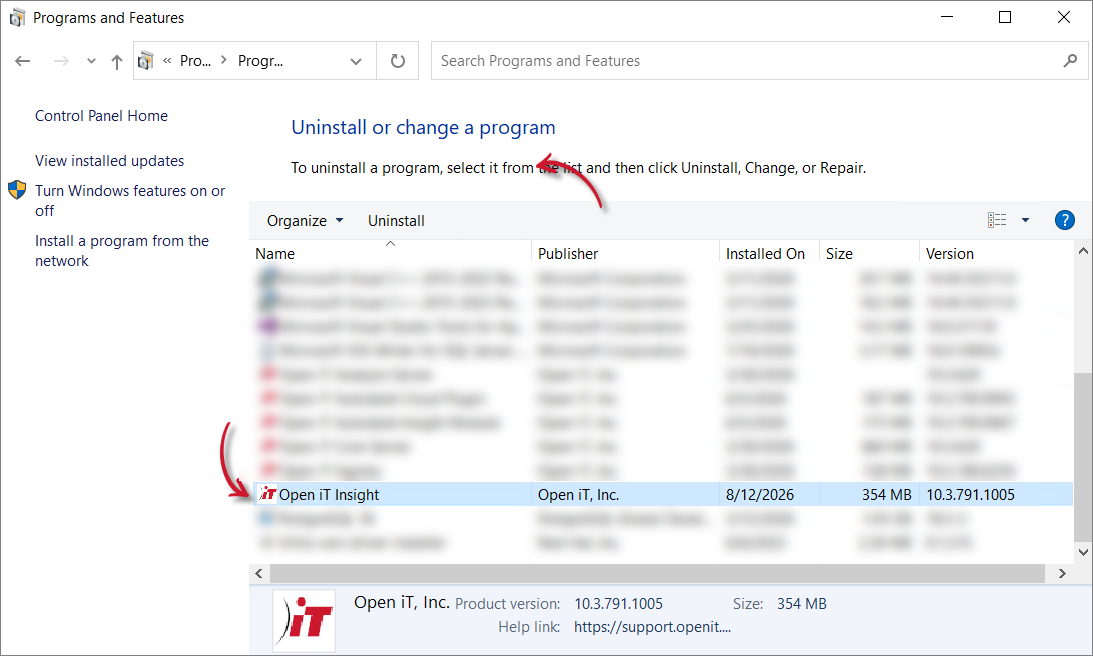 Control Panel Program List
-
Click Yes to confirm the uninstallation of the software.
 Confirm Uninstallation
-
Wait for Windows to configure the uninstallation of Open iT Insight.
 Configuring Uninstallation
-
Open iT Insight will be automatically removed from the list of programs.