Client Management
Start by Getting the Client Installers to set up CLIMS Clients.
Go to the Clients page to see the lists of clients connected to the CLIMS Server. This also displays general information and allows remote management of the clients.
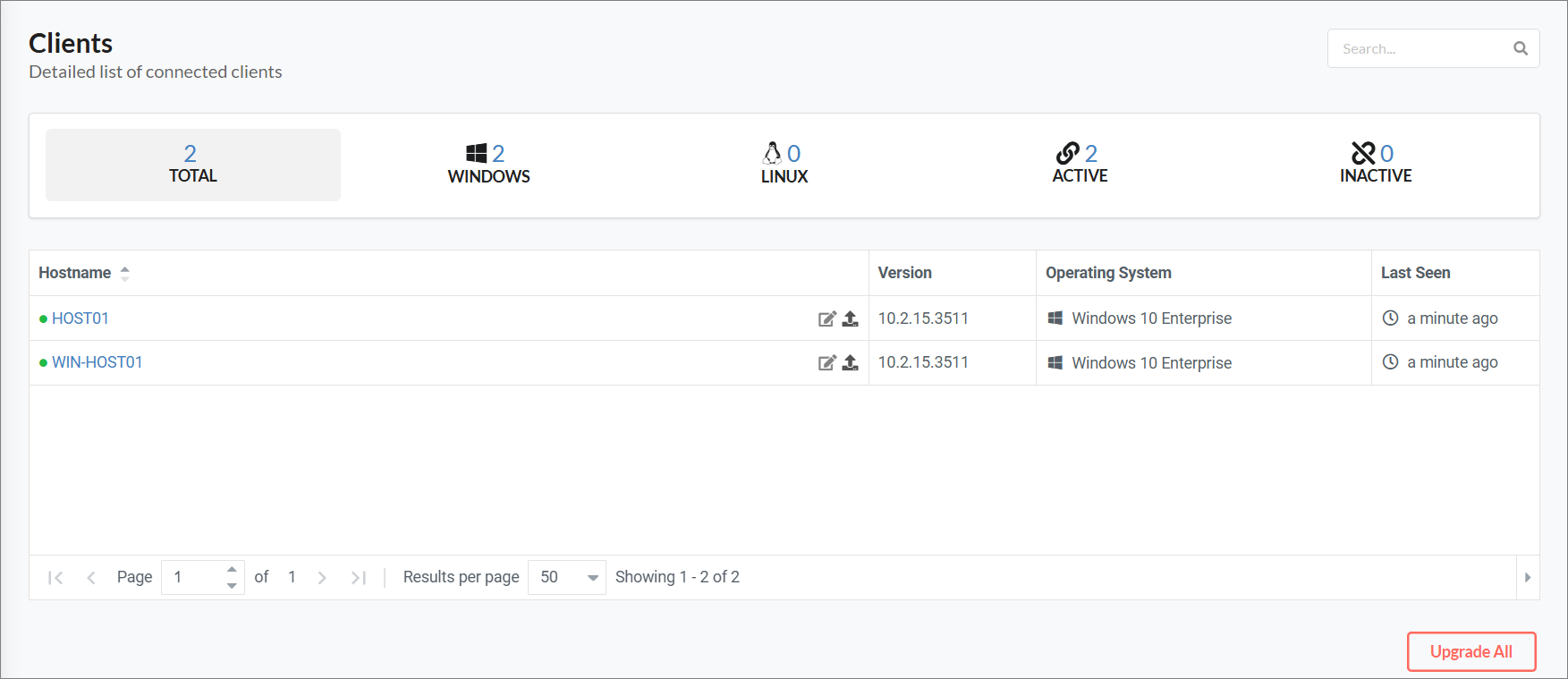
Clients Page
Remote Client Management
You can trigger remote client upgrade via the CLIMS web interface.
Furthermore, click on a client hostname to go to the client's Remote Management page.
CLIMS supports the following functionalities for remote client management:
- View client details
- Execute jobs remotely
- List and download running processes from the client machine (on-demand)
- List, download, and upload configuration files through the Configuration tab
- List, download, and delete log files through the Log tab
- List, download, and delete the contents of the following directories:
- Sampler (through the Sampler tab)
- Vendors (through the Vendors tab)
- VendorLogs (through the VendorLogs tab)
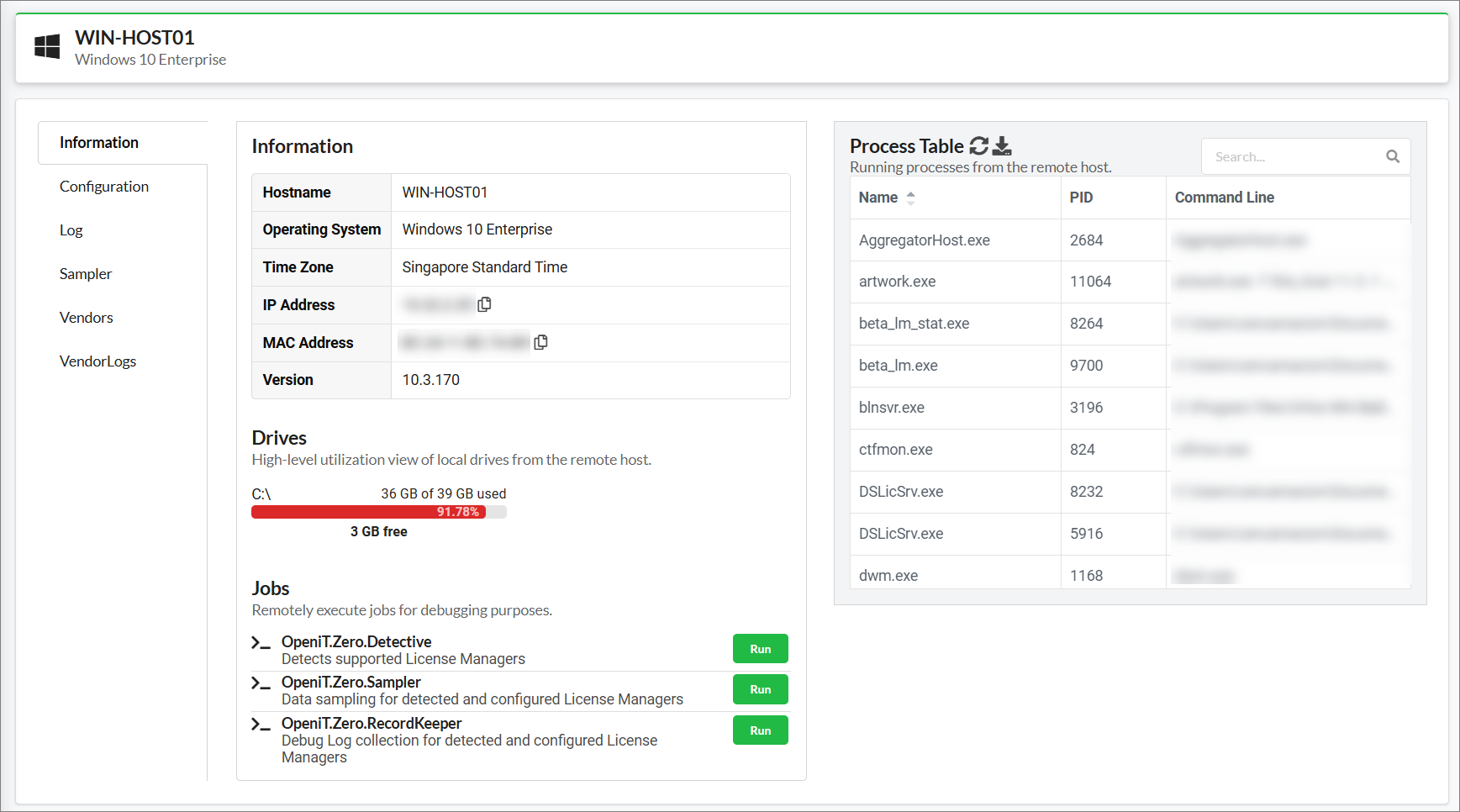
Remote Client Management
Client Labeling
-
Go to the Clients page.
-
Click the Edit Label icon of the target client.
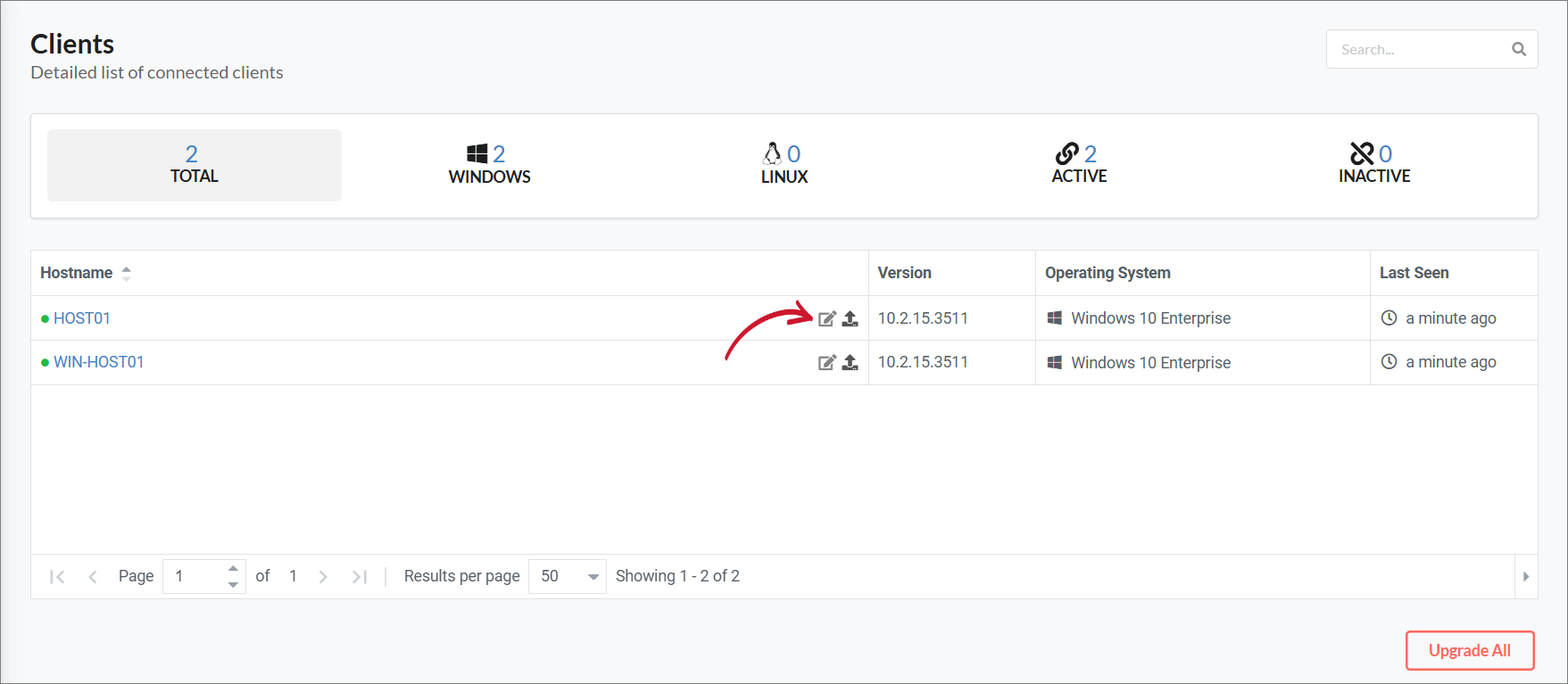 Enable Editing of Client Label
-
Type in the preferred client label.
-
Click Save.
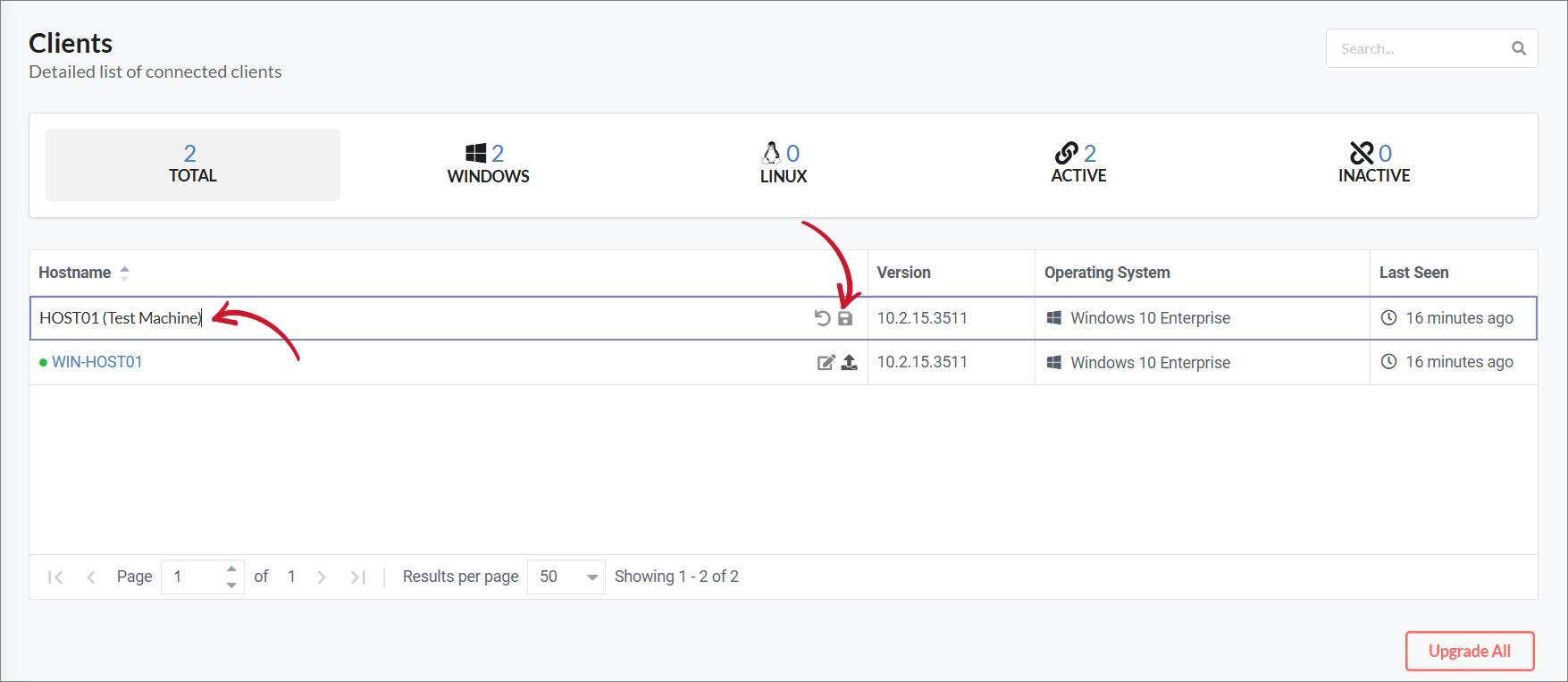 Editing the Client Label