Installation Requirements
Operating System
| Operating System | Version |
|---|---|
| Windows | 10 (1607 and 1809) and later |
| Windows Server | 2016 (1607) and later |
Visual C++ Redistributable Packages
Download and install Visual C++ Redistributable for Visual Studio 2015 for Open iT Windows installation.
.NET Framework 4.8 Runtime
Download and install .NET Framework 4.8 Runtime for Open iT Windows installation.
Administrative Rights
The Open iT Workstation Client installation requires Administrative Access Rights to the host machine for successful directory and file creation.
Open iT Software
-
Go to the Open iT Customer Portal.
-
When prompted, provide a valid email address. Click NEXT.
 Customer Portal Login
If you do not have an account, click the Request for an account link at the bottom of the dialog.
 Customer Portal Account Request
The link redirects to the Request Account dialog. Provide the required details, then click REQUEST. Please wait for our Sales Representatives to validate the request. Once validated, an email will be sent to the provided email address.
 Request Account
 -
Once logged in, click Releases. This page shows the latest versions of the Open iT products.
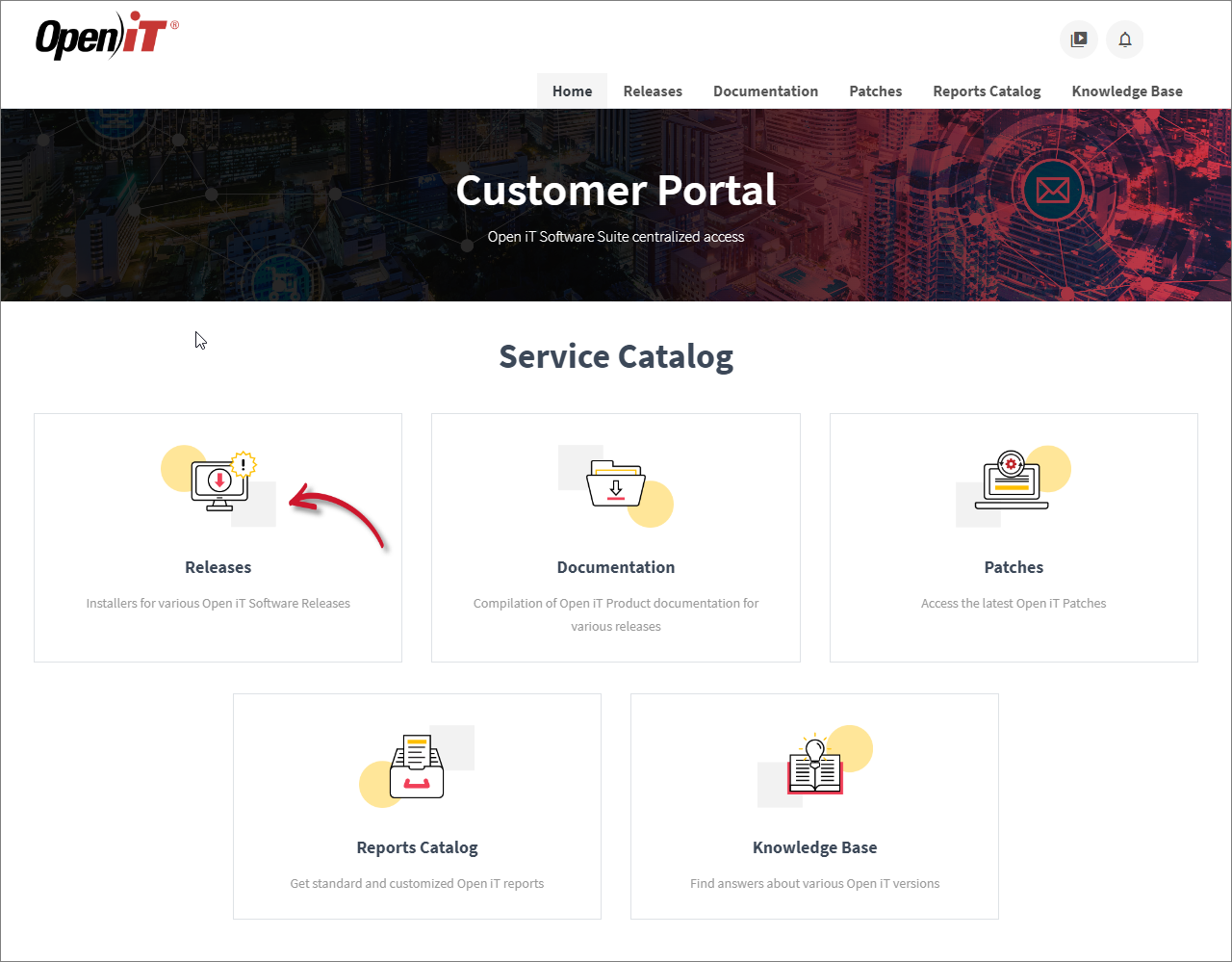 Releases
 -
Click the Download button of the specific product, then select the appropriate installer file to download.
warningIt is recommended to install the current stable version for production purposes.
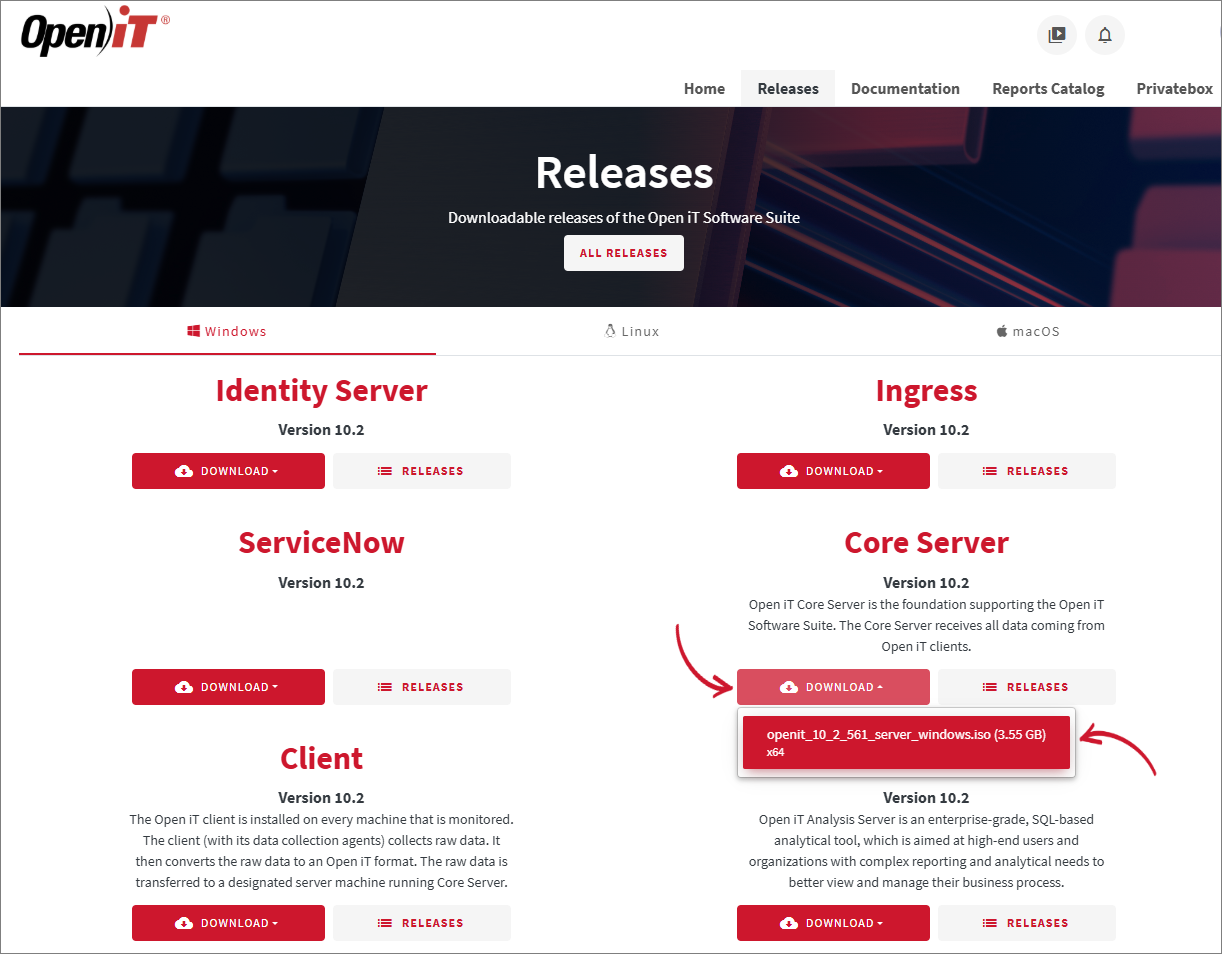 Download Installer
If you need a previous or specific version, click the Releases button of the desired product to see all the supported versions. Click the version number to be redirected to where you can download the installer.
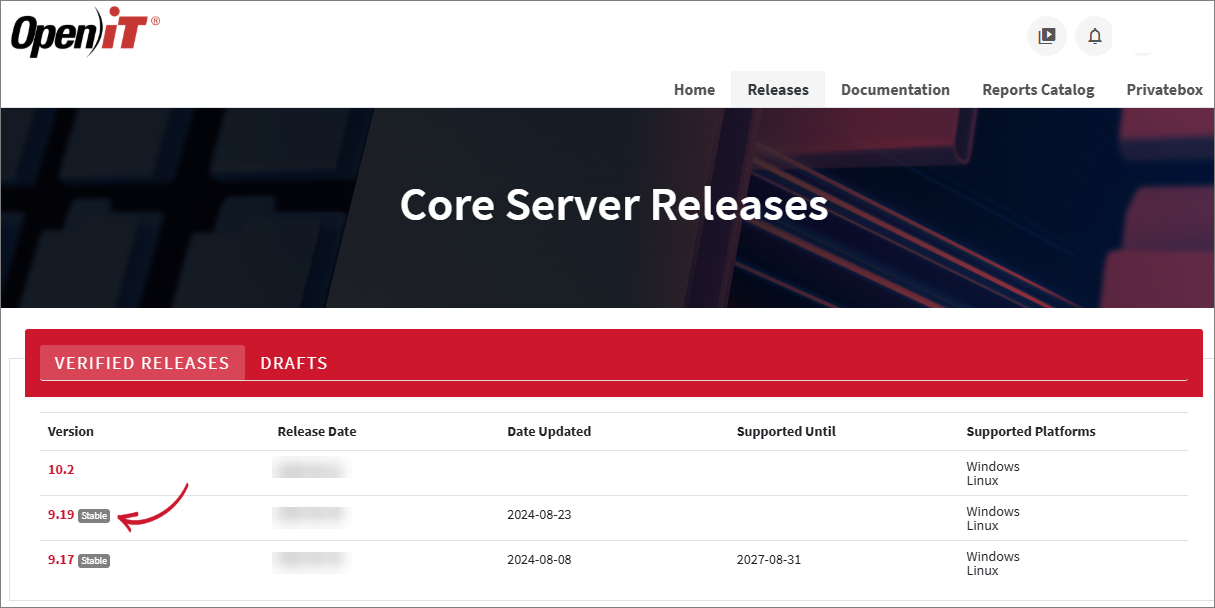 Previous Version
Open iT Software License
The setup program installs the Open iT software with a temporary license to run it immediately. Install a proper license key as soon as possible.
Send an email request to license@openit.com to obtain a proper license key.