Installation
Installing through the Windows Interface
Step 1: Launch the Installer
-
Double-click the
openit_licensepredictor_<version>_<architecture>.msiinstaller file to begin. The Open iT License Preditor Setup Wizard will appear. -
Click Next to continue.
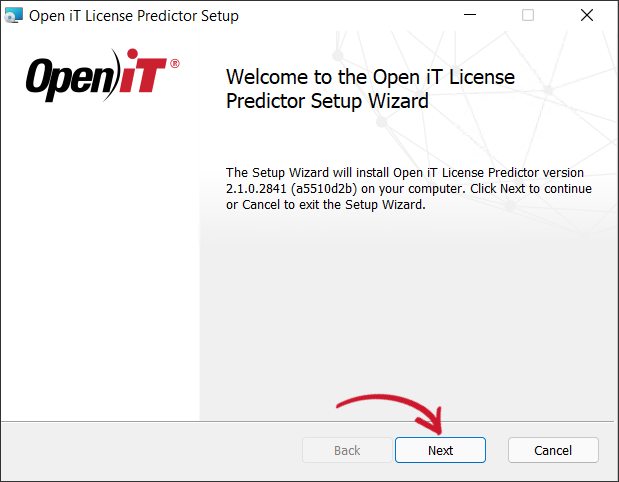 Welcome Screen
Step 2: Review the License Agreement
-
Read the End-User License Agreement carefully.
-
Accept the license terms, then click Next to proceed.
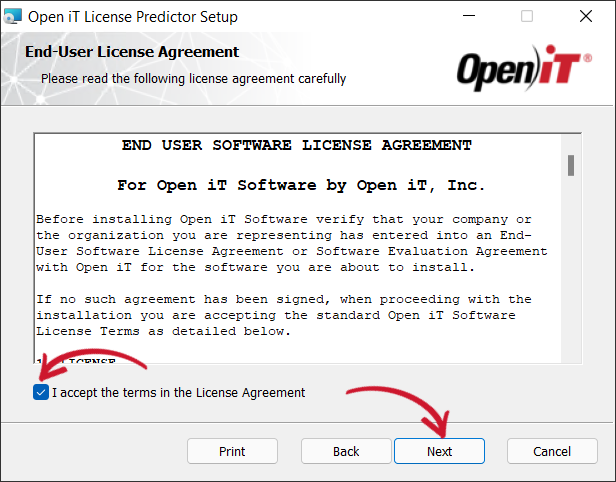 End-User License Agreement
Step 3: Select the Installation Directory
-
Specify where the Open iT LicensePredictor will be installed.
-
If you want to install the component in a different directory, click Change, then select your preferred location.
Clicking Next without doing any changes will use the default installation path.
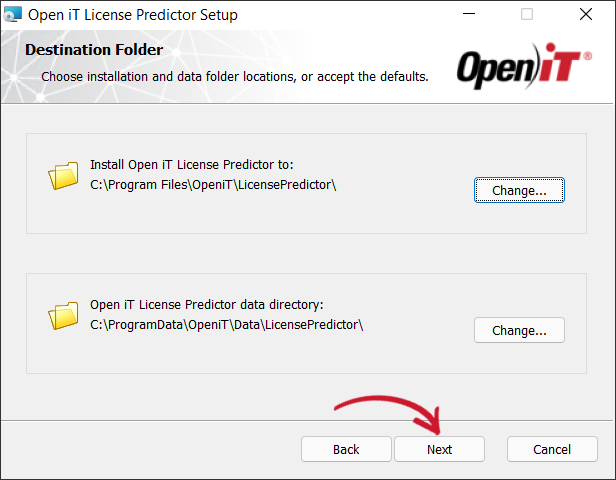 Destination Folder
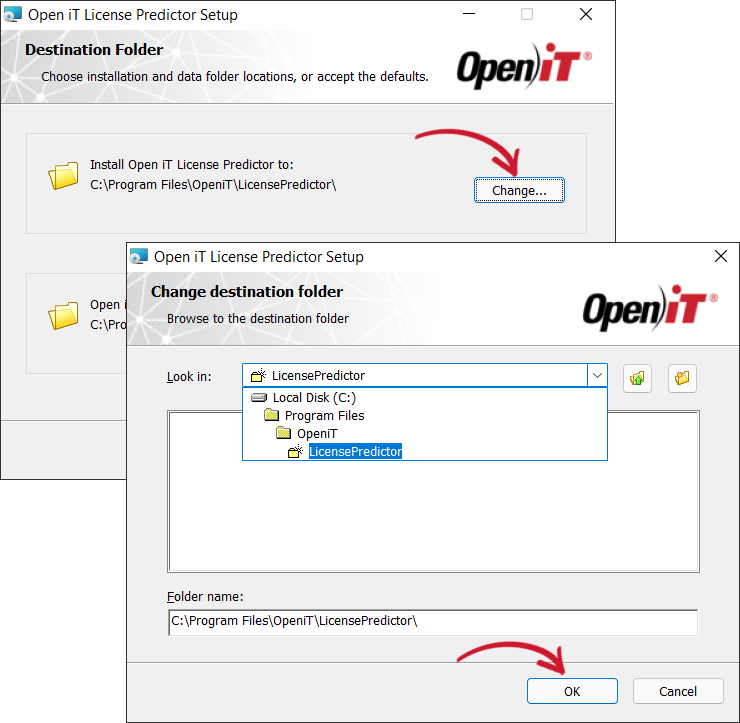 Changing the Installation Directories
Step 4: Specify the Web TCP Port Number
-
Specify the web tcp port number or use the default value, 5127.
This option enables access to the Open iT LicensePredictor web application using the address
http://<licensepredictor_hostname>:<port_number>.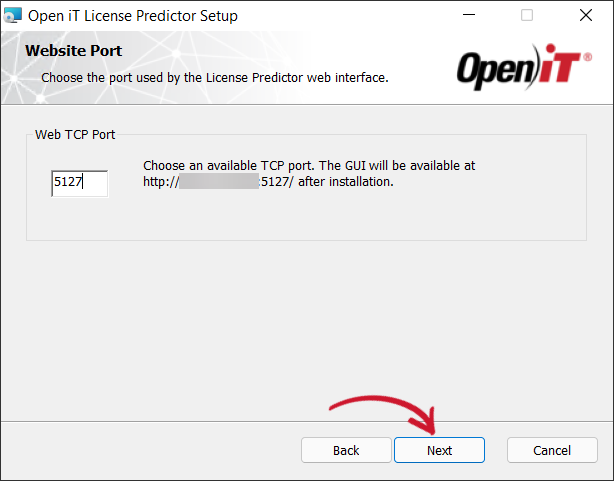 Web TCP Port
Step 5: Start the Installation
-
Click Install to begin the installation process.
Alternatively, click Back to review any installation setting.
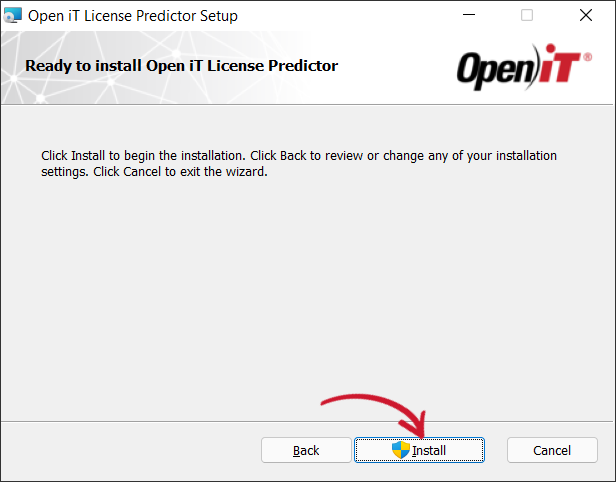 Ready to Install
Step 6: Complete the Installation
-
The installer will set up all necessary files on the computer.
Click Finish to complete the installation.
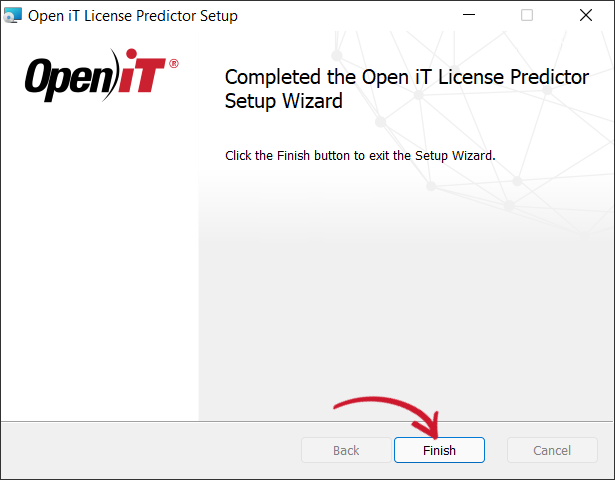 Finish Installation
Installing through the Command Line
Step 1: Open the Comman Prompt
- Open a command prompt with Administrator level privilege.
Step 2: Execute the Insatallation Command
-
Execute the following command:
Command Syntaxmsiexec /i <path_to_installer> /l*v <path_to_logfile> [/quiet] [/passive] <SERVERURI>Required:
Parameter Description /i <path_to_installer>Use this to specify the path to the installer file /l*v <log_file>Use this to specify the path of the installation log file that will be created during installation. Required Key-Value Pairs for LicensePredictor Installation
Properties:
Parameter Description INSTALLDIR=<root_dir>The path where the Open iT files will be installed. This value is set to C:\Program Files\OpeniT\LicensePredictorby default.SERVERURIThe web URI (Uniform Resource Identifier) including the correct port number of the Open iT LicensePredictor. Properties for LicensePredictor Installation
Options:
Parameter Description /quietRun the command in silent mode. /passiveRun the command in unattended mode — progress bar only. Options for LicensePredictor Installation
noteThe installer will use the Windows Installer Interface process when the installation option is not specified.
Example
Sample Commandmsiexec /i "C:\Installers\openit_licensepredictor_2.1.0.2841_x64.msi" /l*v "C:\install.log" /passive SERVERURI=http://WIN-HOST01:5127/
Step 3: Verify Installation Completion
-
If using passive mode, wait until the progress bar disappears.
-
If using quiet mode, verify installation by:
- Opening Task Manager
- Checking the Details tab
- Ensuring the
msiexecprocess is no longer running