Access Management
Adding Accounts to the Administrator Group
-
Go to the installation directory, which is
C:\Program Files\OpeniT\Launcherby default. -
Create a copy of
appsettings.jsonand rename the duplicate file toappsettings.Override.json.Open the existing
appsettings.Override.json, if there is already one. -
In the override file, add the new account(s) under Administrators following the format:
appsettings.Override.json"Administrators": [ "HOSTNAME\\user", "user@email.com", "DOMAIN\\user" ]noteMake sure to follow the
domain\\nameformat and provide a valid email address or Okta account. -
Save the changes.
Setting the Authentication Method to SAML2
App Launcher supports Negotiate and SAML2 authentication protocols. By default, it uses the Negotiate protocol for Windows Authentication.
To set up SAML2:
-
Go to the installation directory, which is
C:\Program Files\OpeniT\Launcherby default. -
Create a copy of
appsettings.jsonand rename the duplicate file toappsettings.Override.json.Open the existing
appsettings.Override.json, if there is already one. -
In the override file, set the value of AuthenticationMethod to Saml2.
-
Under the Saml2 block, input IdPMetadata and Issuer.
appsettings.Override.json"AuthenticationMethod": "Saml2",
"Saml2": {
"IdPMetadata": "",
"Issuer": "",
"SignatureAlgorithm": "http://www.w3.org/2001/04/xmldsig-more#rsa-sha256",
"CertificateValidationMode": "ChainTrust",
"RevocationMode": "NoCheck",
"ClaimAttribute": "nameidentifier"
}Follow the instructions to Get the IdPMetadata and Issuer in Okta.
-
Save the changes.
Getting the IdPMetadata and Issuer in Okta
-
Log in to Okta.
-
In the left pane, expand Applications and click Applications.
-
Click the created application for App Launcher (in this case, Open iT Web Launcher).
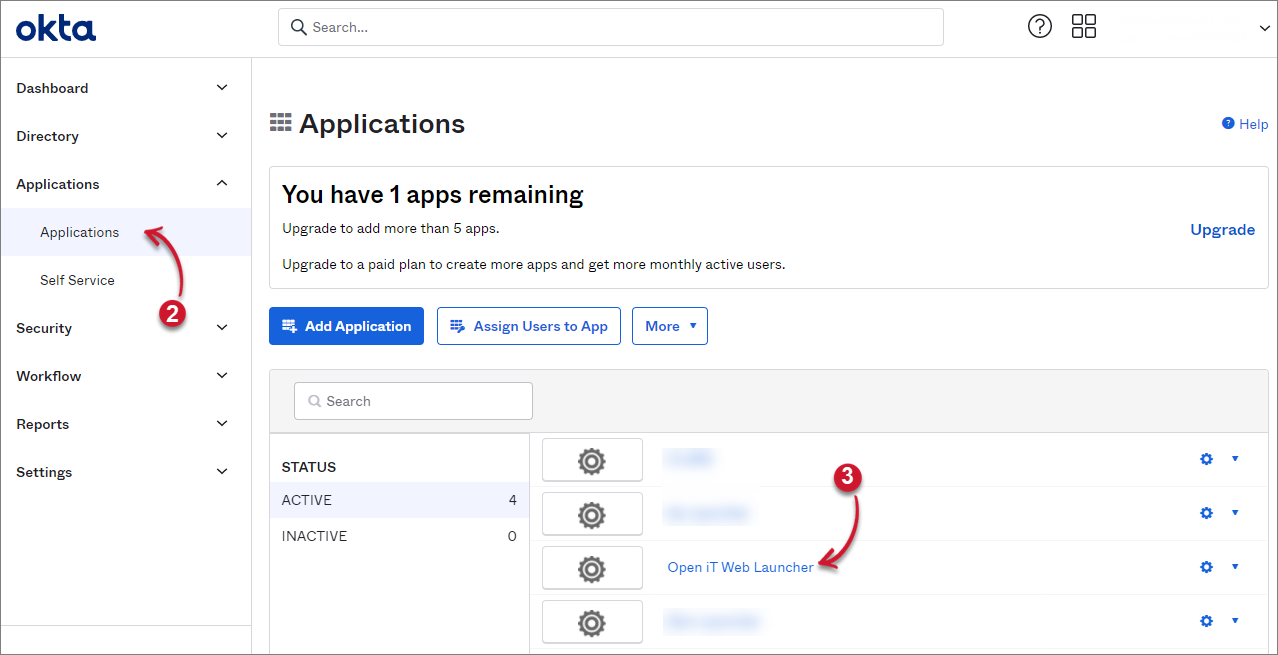 App Launcher in Okta
-
Click the Sign On tab and copy the link of Identity Provider metadata.
This is the required
IdPMetadatato set up SAML2 in App Launcher.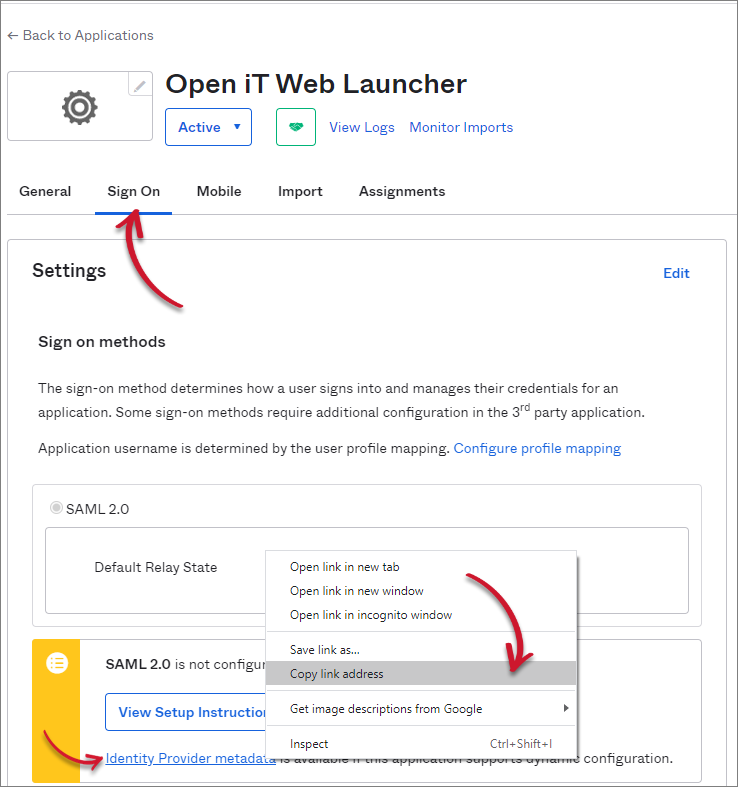 Getting the IdPMetadata
-
Click the General tab.
-
Under the SAML Settings, copy the value of Audience Restriction.
This is the required
Issuerto set up SAML2 in App Launcher.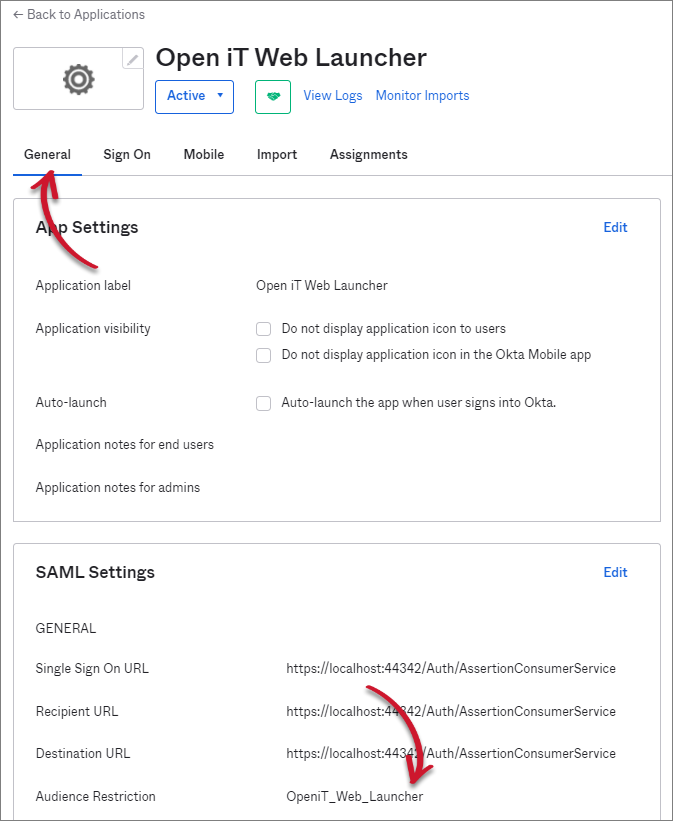 Getting the Issuer