

We’re upgrading your documentation experience!
A new doc website is live at docs.openit.cloud — a temporary preview during our transition. This website is now in maintenance-only mode (only critical issues will be addressed).
Explore the new website and send us your feedback!
#
Analysis Server Alerts and Notifications
The Analysis Server provides an alert and notification system associated with portlets. These alerts and notifications assist subscribers (usually administrators) in monitoring license activity, server health, and user behavior.
Below is an overview of the alert and notification categories:
#
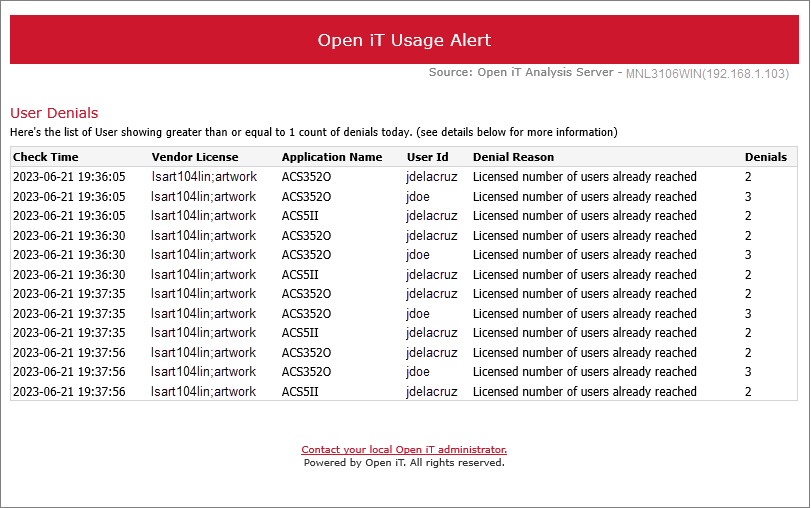
User Denials
This alerts the subscriber about users who have denied license access due to insufficient resources. This alert provides details such as check time, Vendor License, Application Name, User ID, Denials, and the reason associated with user denials.
#
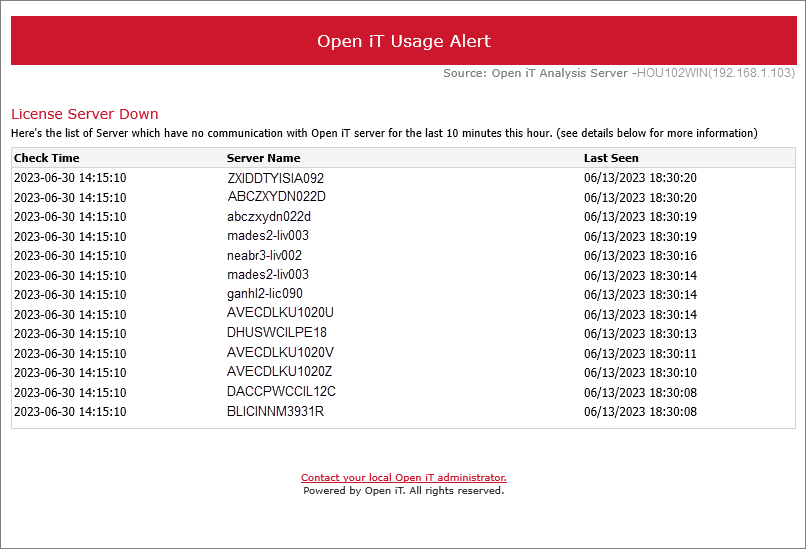
License Server Down
This alert reports when a server loses communication with the system. This alert provides details such as Check Time, Server Name, and Last Seen Timestamp.
#
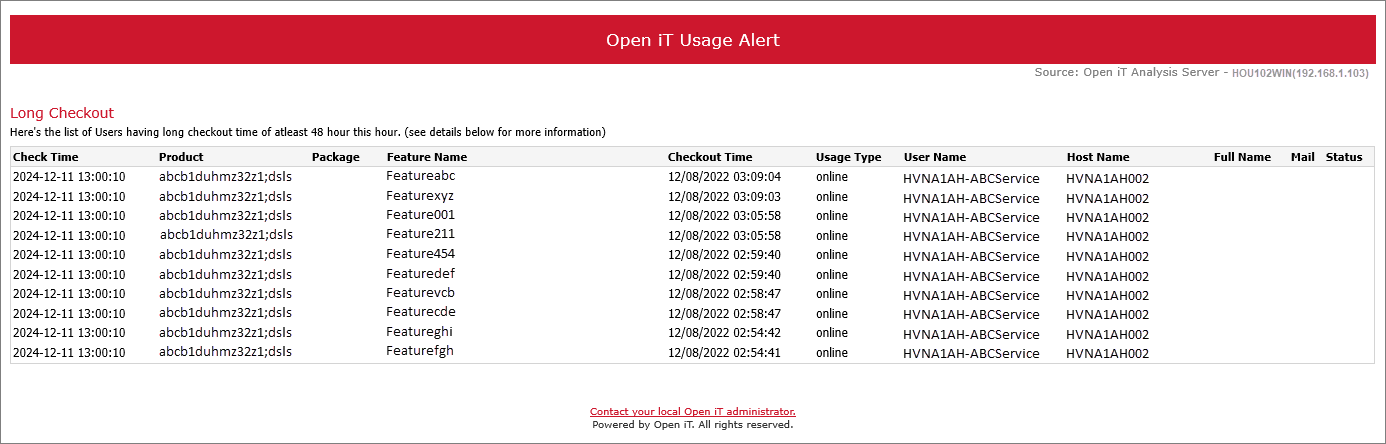
Long Checkout
This alert assists the subscriber in tracking users who have held licenses beyond a specified duration. This alert provides details such as Check Time, Product, Feature, Checkout Time, User Name, and Host Name associated with the long checkout.
#
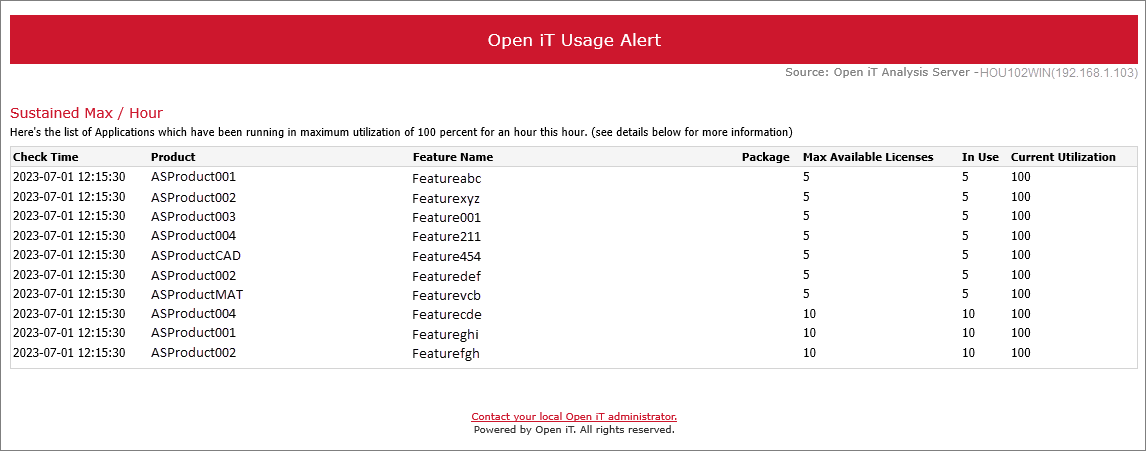
Sustained Max/Hour
This alert flags applications running at 100% license utilization for extended periods. This alert provides details such as Check Time, Product, Feature, Max Available Licenses, License In-use, and Current Utilization.
#
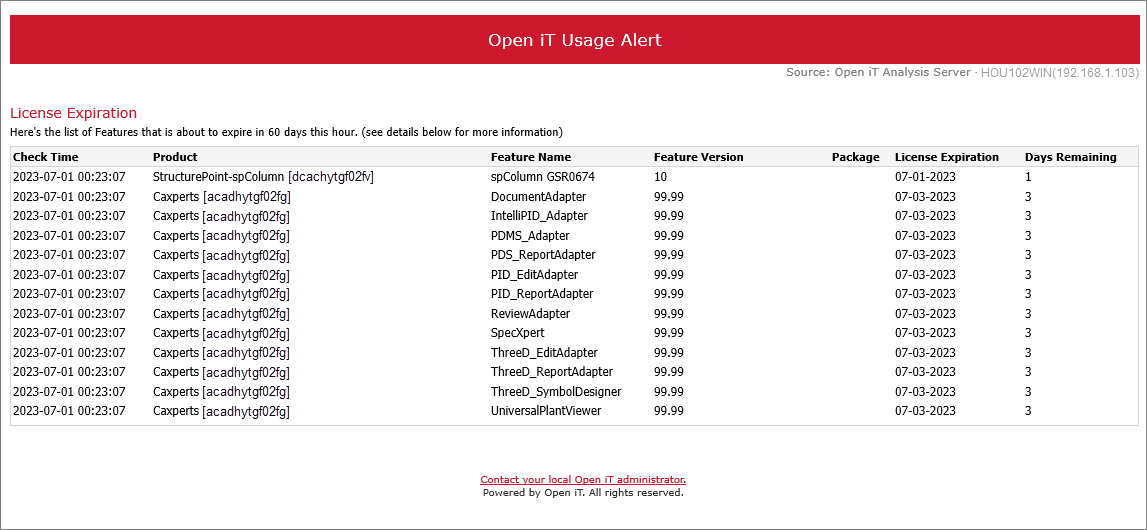
License Expiration
This alert warns the subscriber about licenses nearing their expiration dates. This alert provides details such as Check Time, Product, Feature, Feature Version, Expiration Date, and Days Remaining.
#
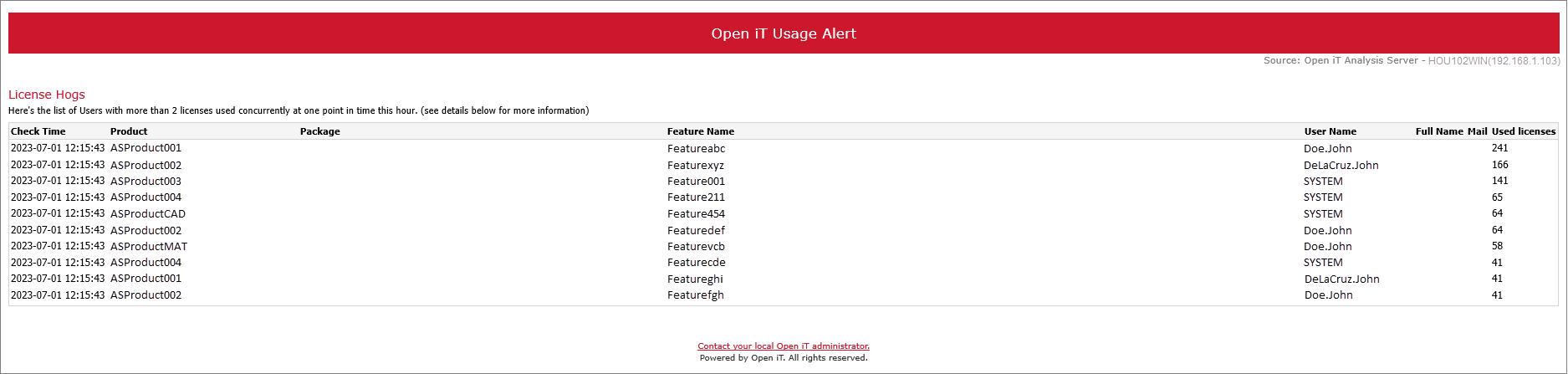
License Hogs
This alert helps the subscriber identify users who are consuming multiple licenses. This alert provides details such as Check Time, Product, Feature, Used Licenses, User Name, and Full Name.
#
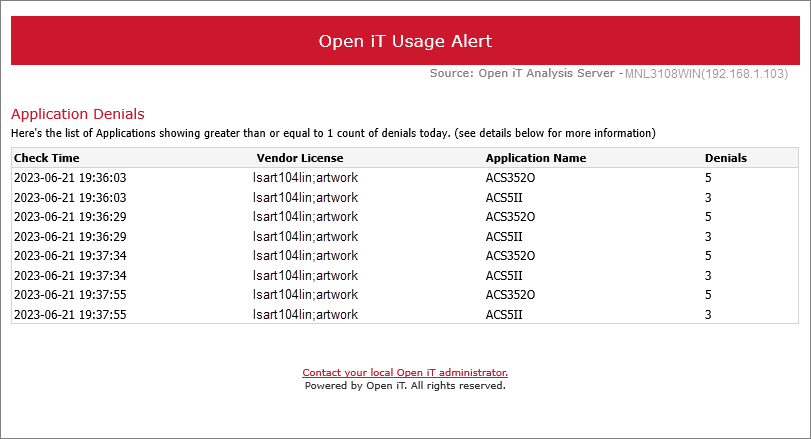
Application Denials
This alert notifies the subscriber about the applications that have been denied access due to constraints. This alert provides details such as Check Time, Vendor License, Application Name, and the number of denials.
#
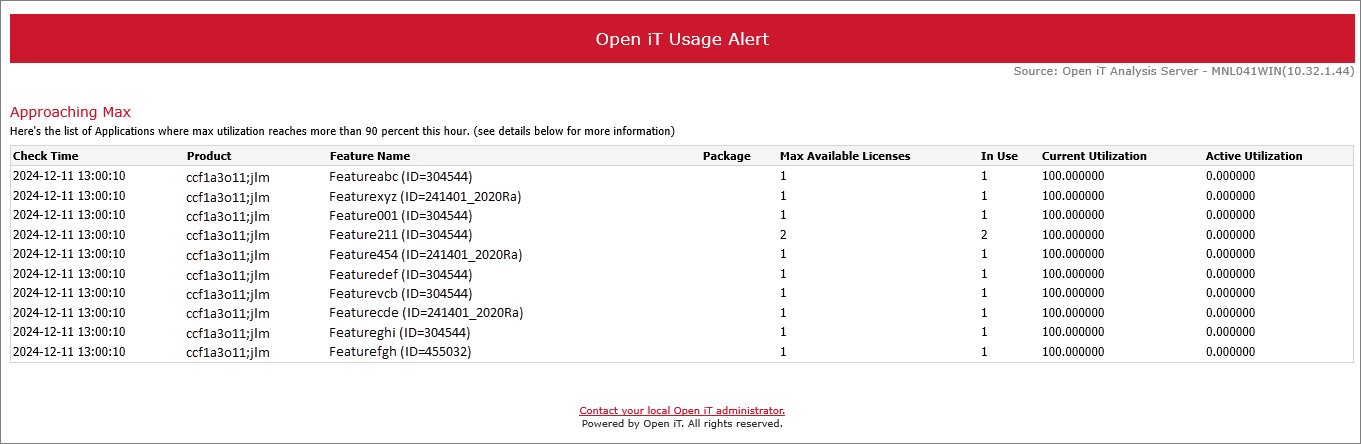
Approaching Max
This alert assists the subscriber in identifying applications nearing maximum license capacity. This alert provides details such as Check Time, Product, Feature, Max Available Licenses, and Current Utilization.
#
License Daemon Down
This alert reports when a daemon becomes unresponsive or loses connection with the system. This alert provides details such as Check Time, Server, Daemon, and the timestamp when the daemon went offline.
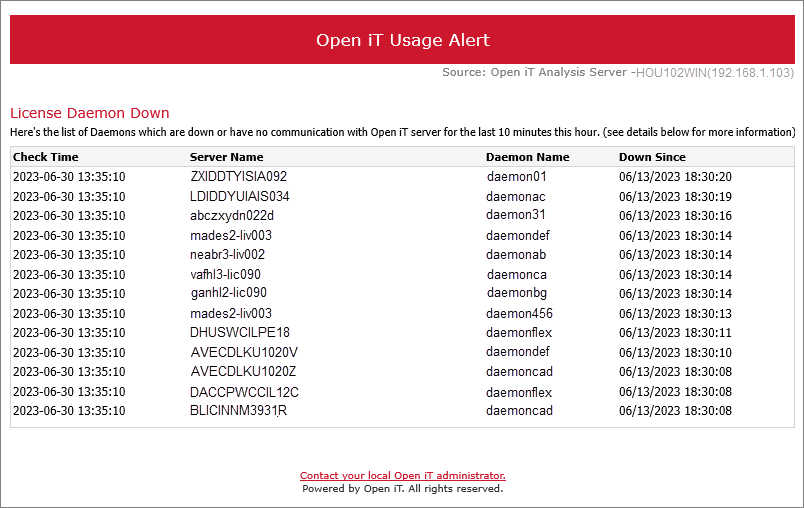
The check time field is not always present in email alerts and notifications; it appears only when the user set up a custom alert schedule.
The table below provides a concise overview of the notification events in the Analysis Server. Each notification event includes the following delivery frequency:
For an in-depth understanding of Analysis Server Alerts and Notifications, you may visit License Usage Portlets.
Analysis Server: License Usage Portlets