Server
Uninstalling through the Control Panel
-
Open the Control Panel.
-
Under Programs, click Uninstall a program.
-
Right-click on Open iT Launcher Server, then click Uninstall.
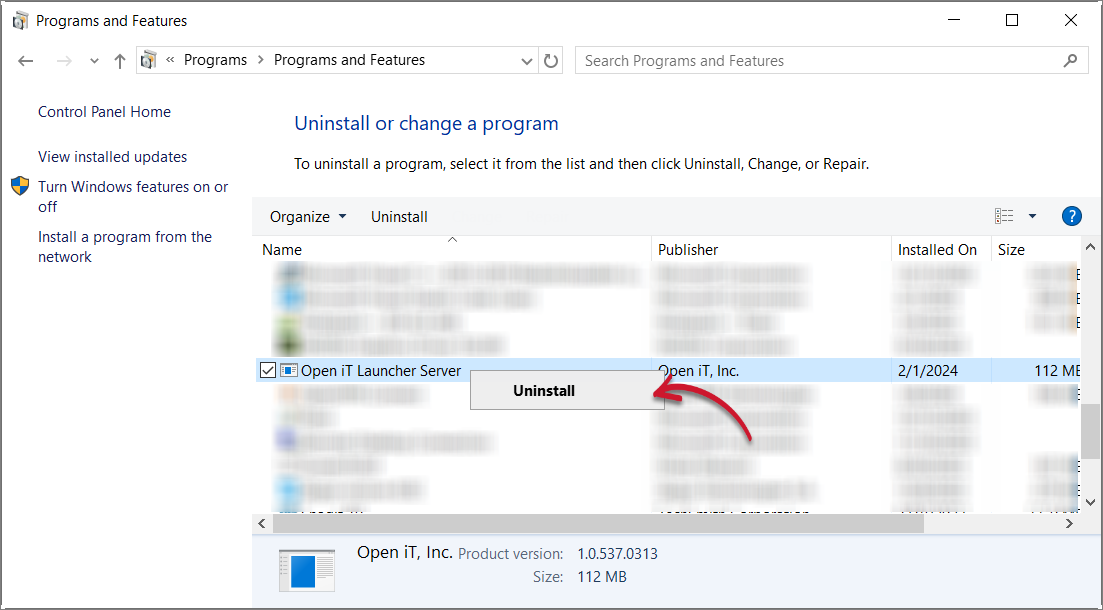 Control Panel: Uninstall Option 1
Alternatively, click on Open iT Launcher Server, then click Uninstall from the header.
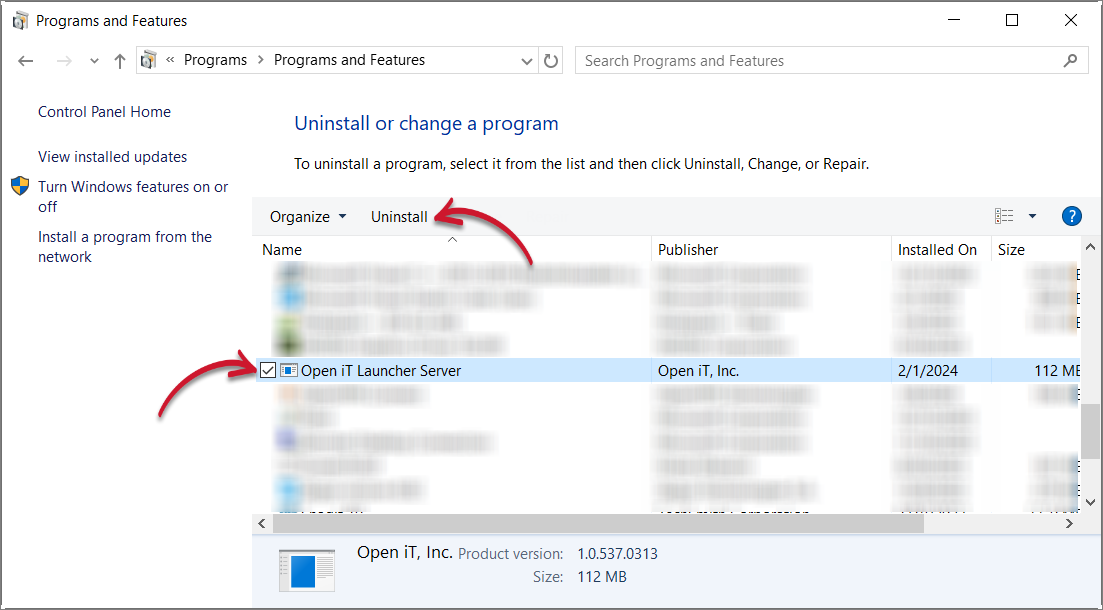 Control Panel: Uninstall Option 2
-
Click Yes to continue.
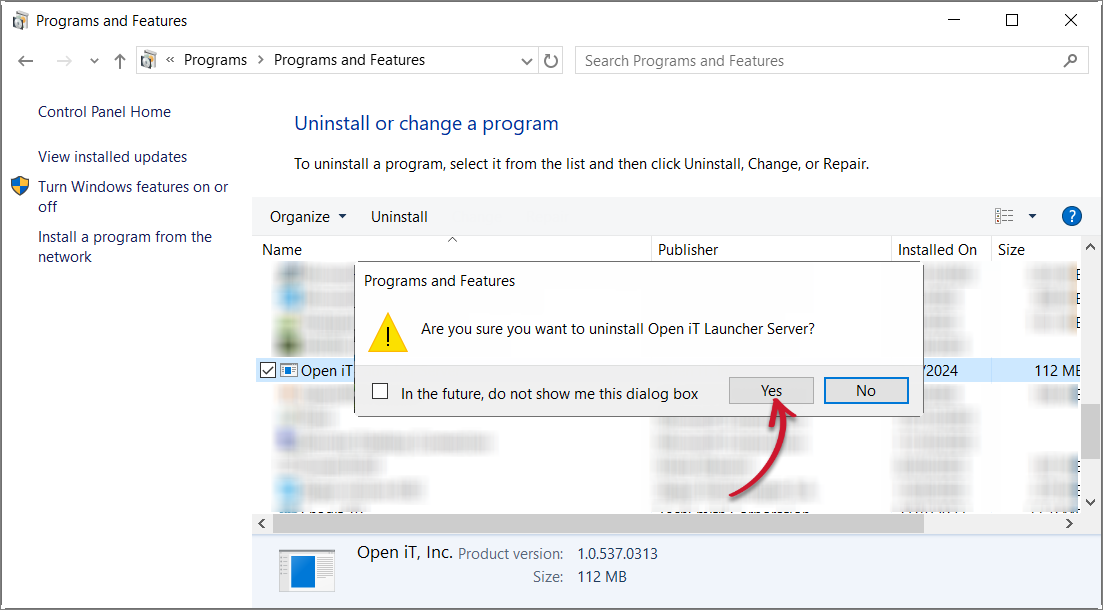 Control Panel: Confirm Uninstallation
Uninstalling through the Windows Installer Interface
-
Double-click the installer file used to set up the software.
-
In the setup wizard, click Next.
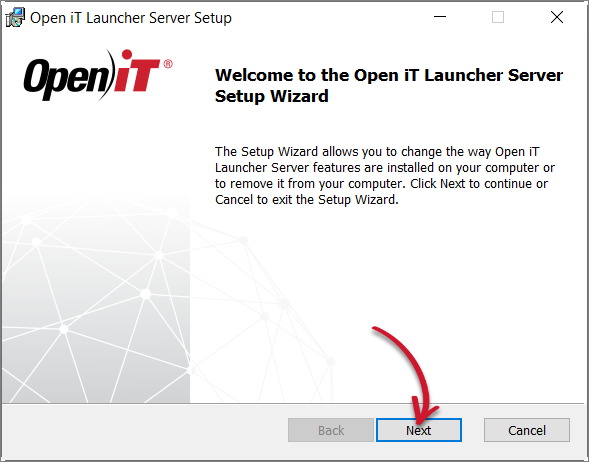 Welcome Screen
-
Click Remove.
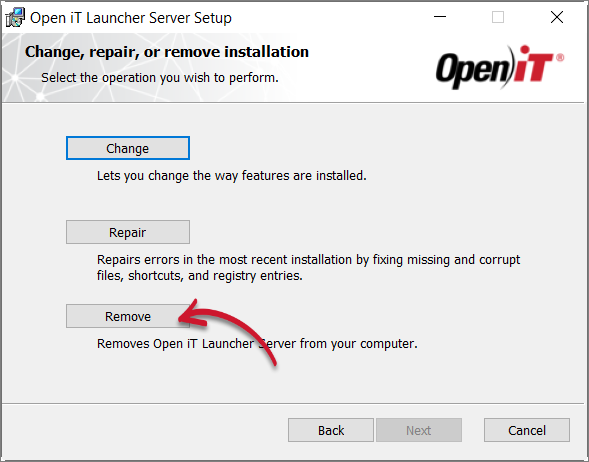 Operation Selection
-
Click Remove to proceed.
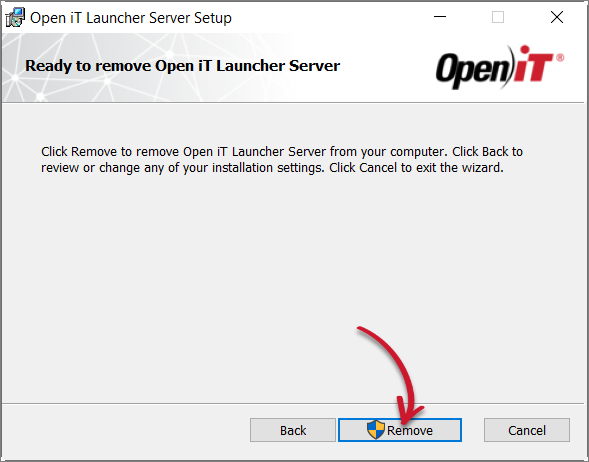 Ready to Remove
-
Click Finish.
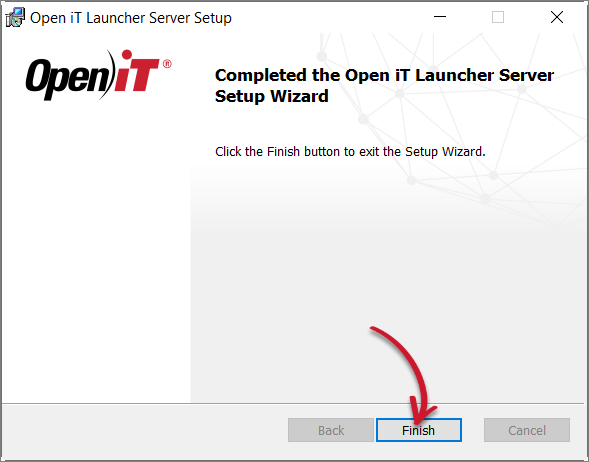 Complete Uninstallation